 MesoNotes
Minden jegyzeted és gondolatod egy helyen.
A te adatod, a te tulajdonod.
Notes, tasks and writing.
On your own computer.
A MesoNotes ingyenes, nyílt forrású asztali program Linuxra és Windowsra. Egy helyen kezeled benne a jegyzeteidet, a feladataidat, a táblákat, a vásznakat és a hosszabb írásaidat. Nincs fiók, nincs felhő, ha nem kéred.
MesoNotes is a free, open-source desktop app for Linux and Windows. Keep your notes, tasks, boards, canvases and longer writing in one place. No account, and no cloud unless you set one up.
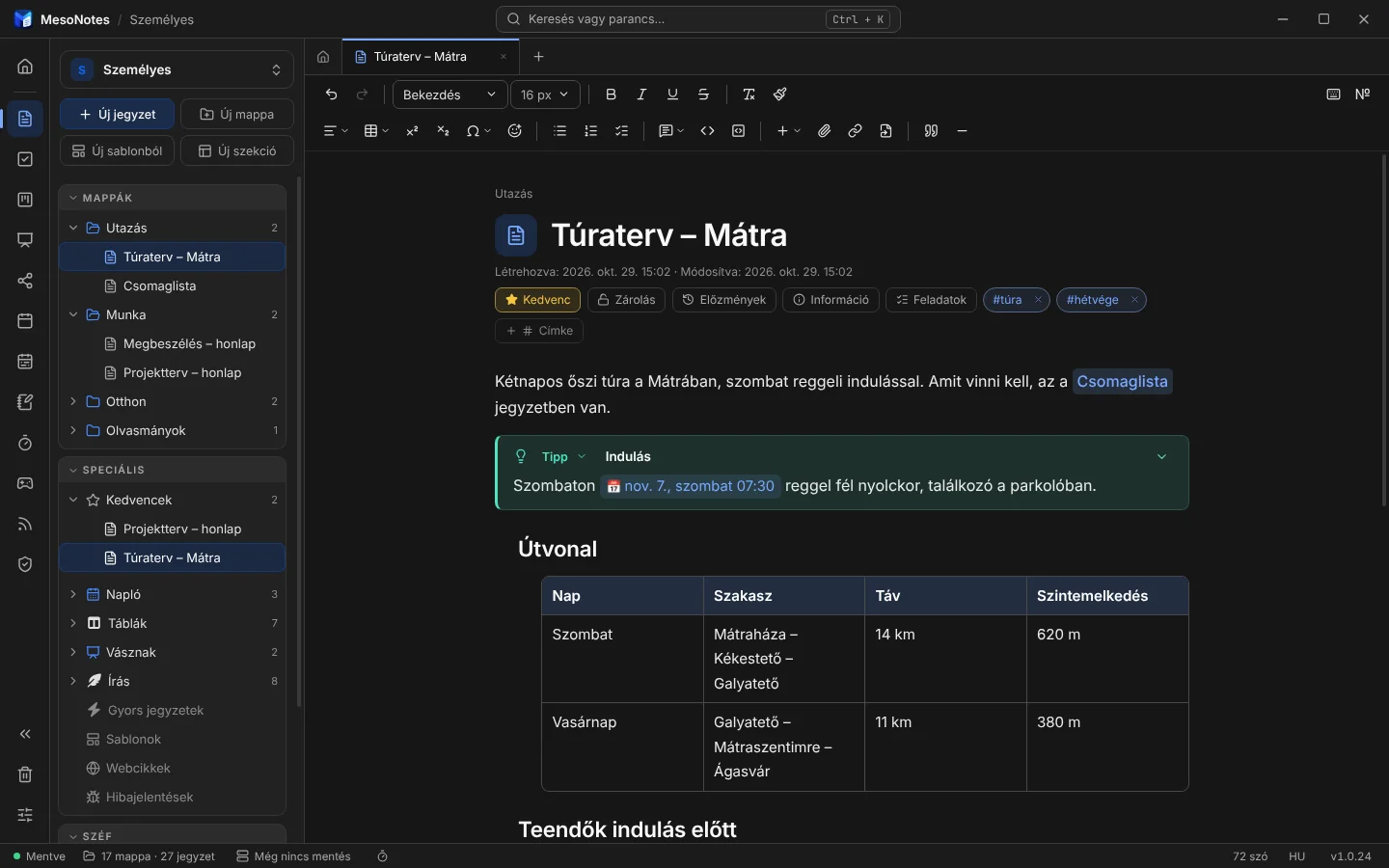
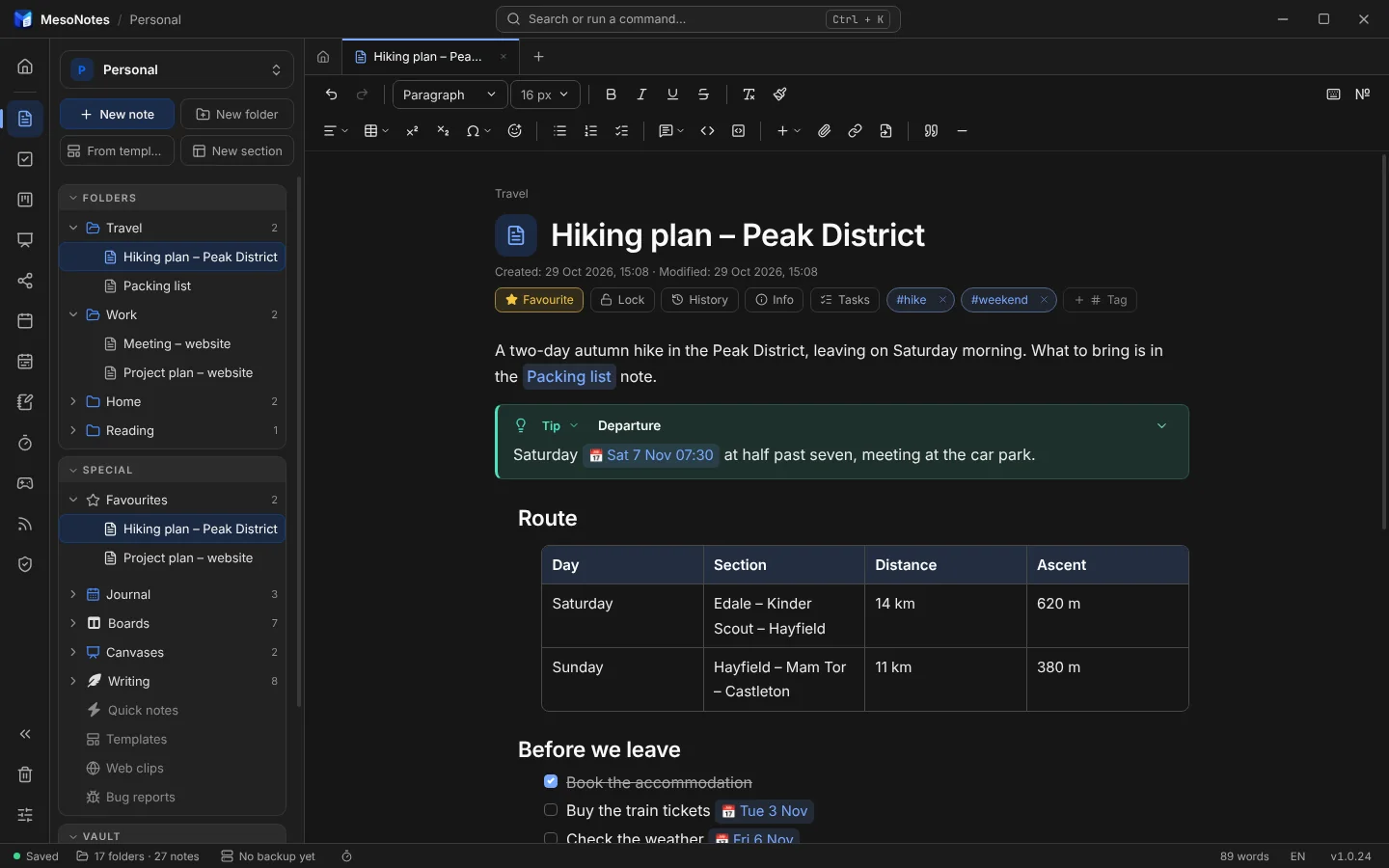
Írj címsorokat, listákat, táblázatokat. A @holnap 16:45 dátumot ad a sorhoz, emlékeztetővel együtt.Write headings, lists and tables. Type @tomorrow 16:45 to give a line a date, with a reminder if you want one.
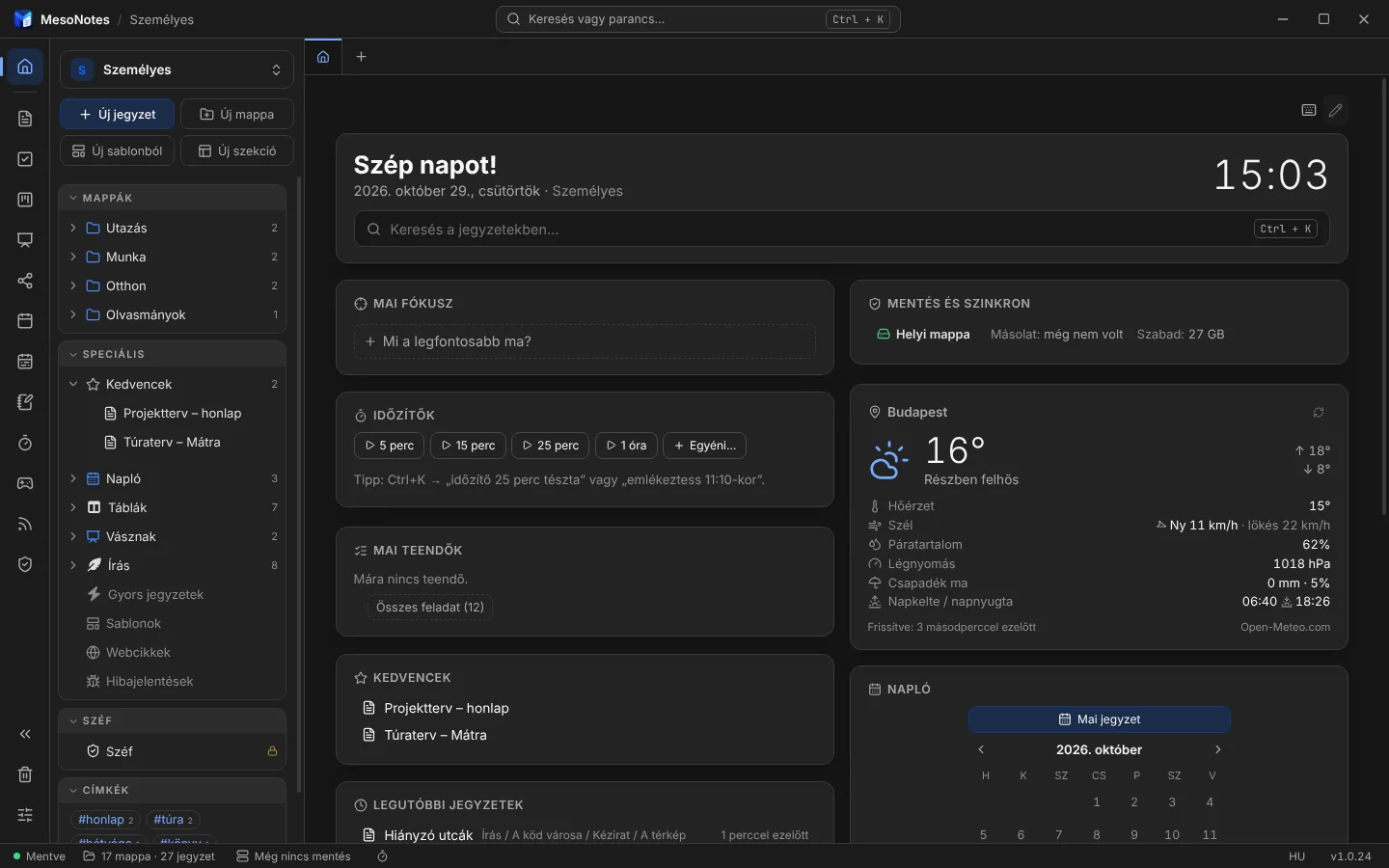
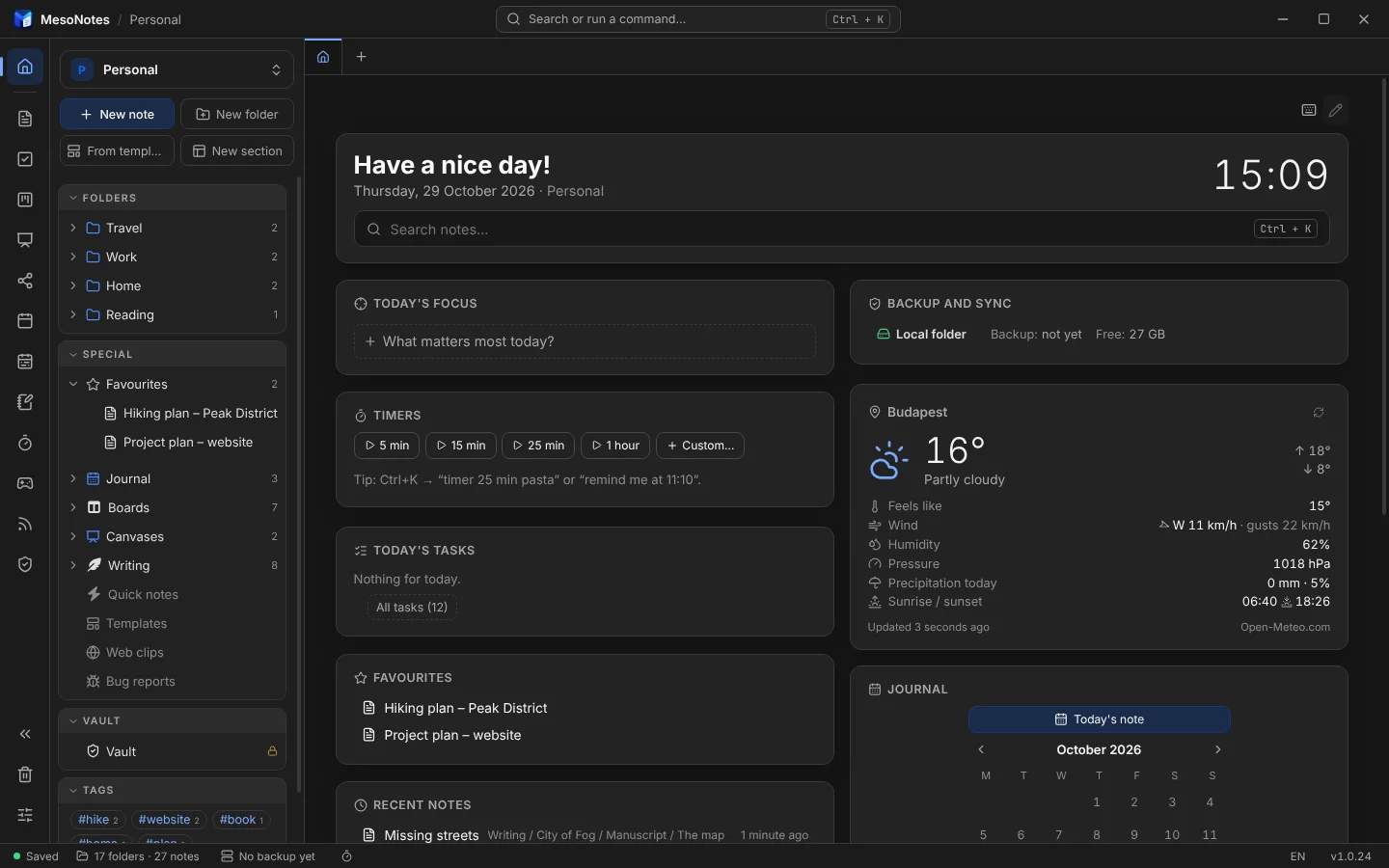
A kezdőlap egy pillantásra megmutatja a napot: időjárás, mai teendők, kedvencek, napló és a legutóbbi jegyzetek. A dobozok átrendezhetők.The start page shows your day at a glance: weather, today's tasks, favourites, the journal and recent notes. Rearrange the boxes as you like.
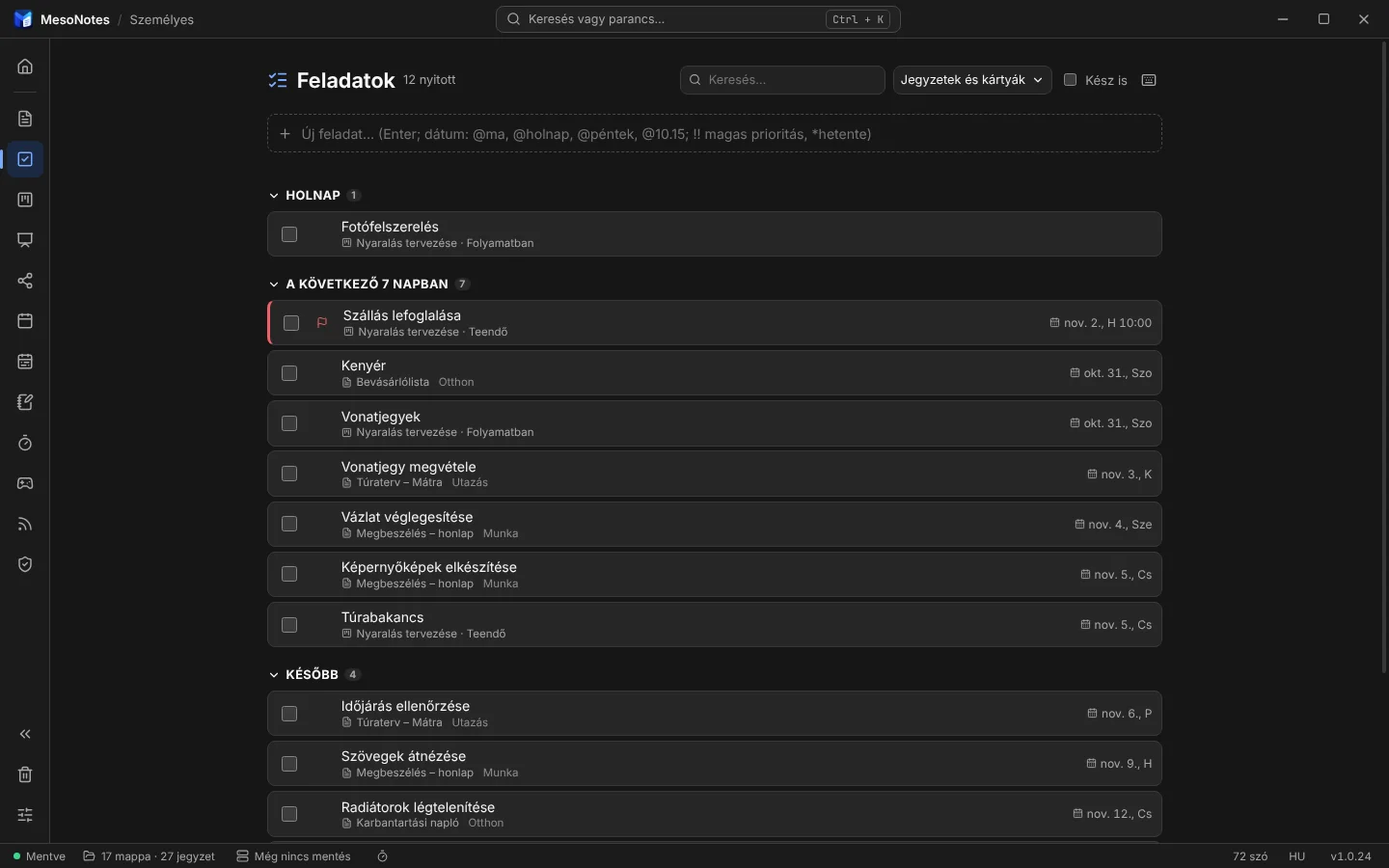
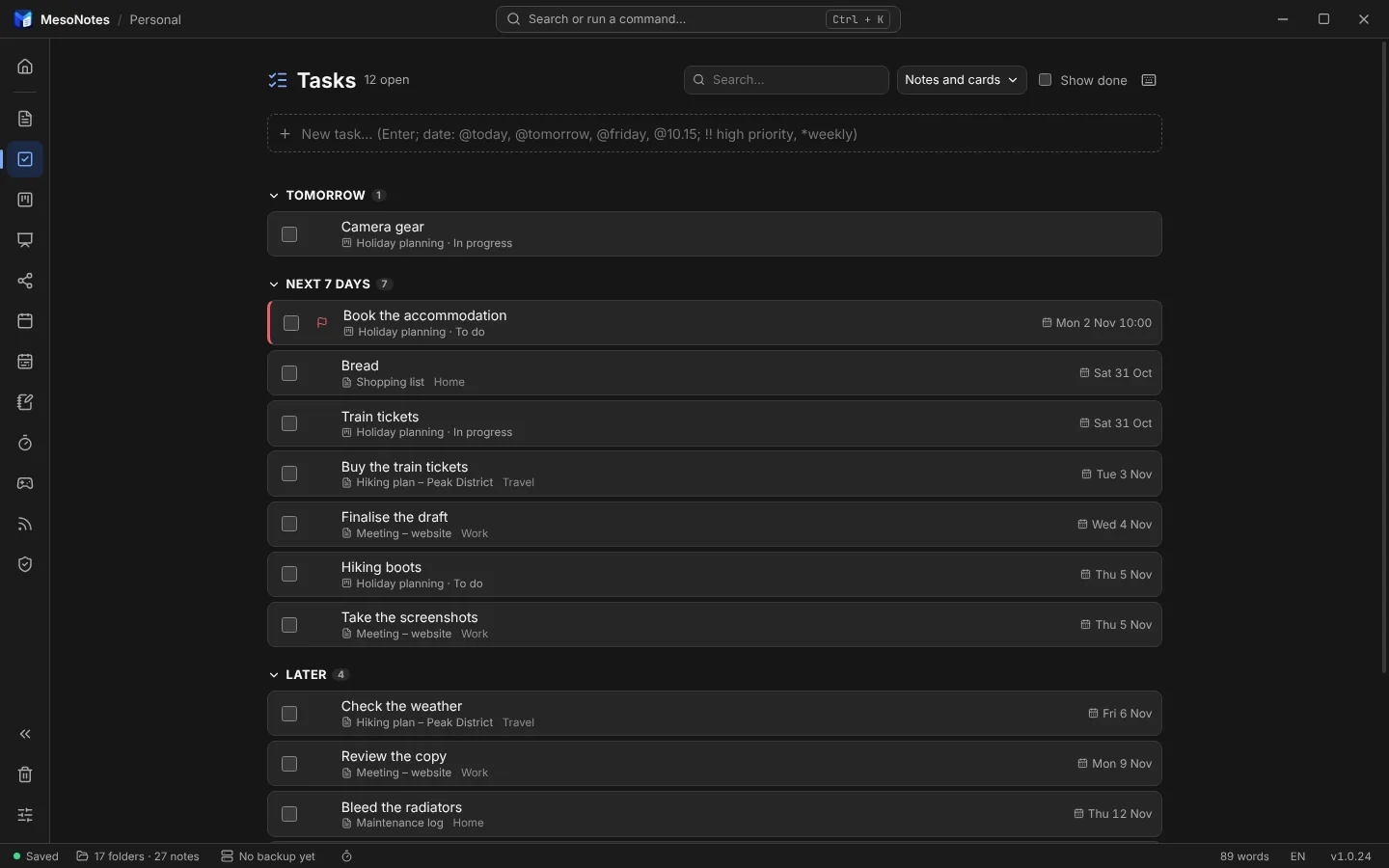
Minden határidős sor és kártya egy listában, napok szerint. Pipáld ki itt, és a jegyzetben is kipipálódik.Every dated line and card in one list, by day. Tick it here and it is ticked in the note too.
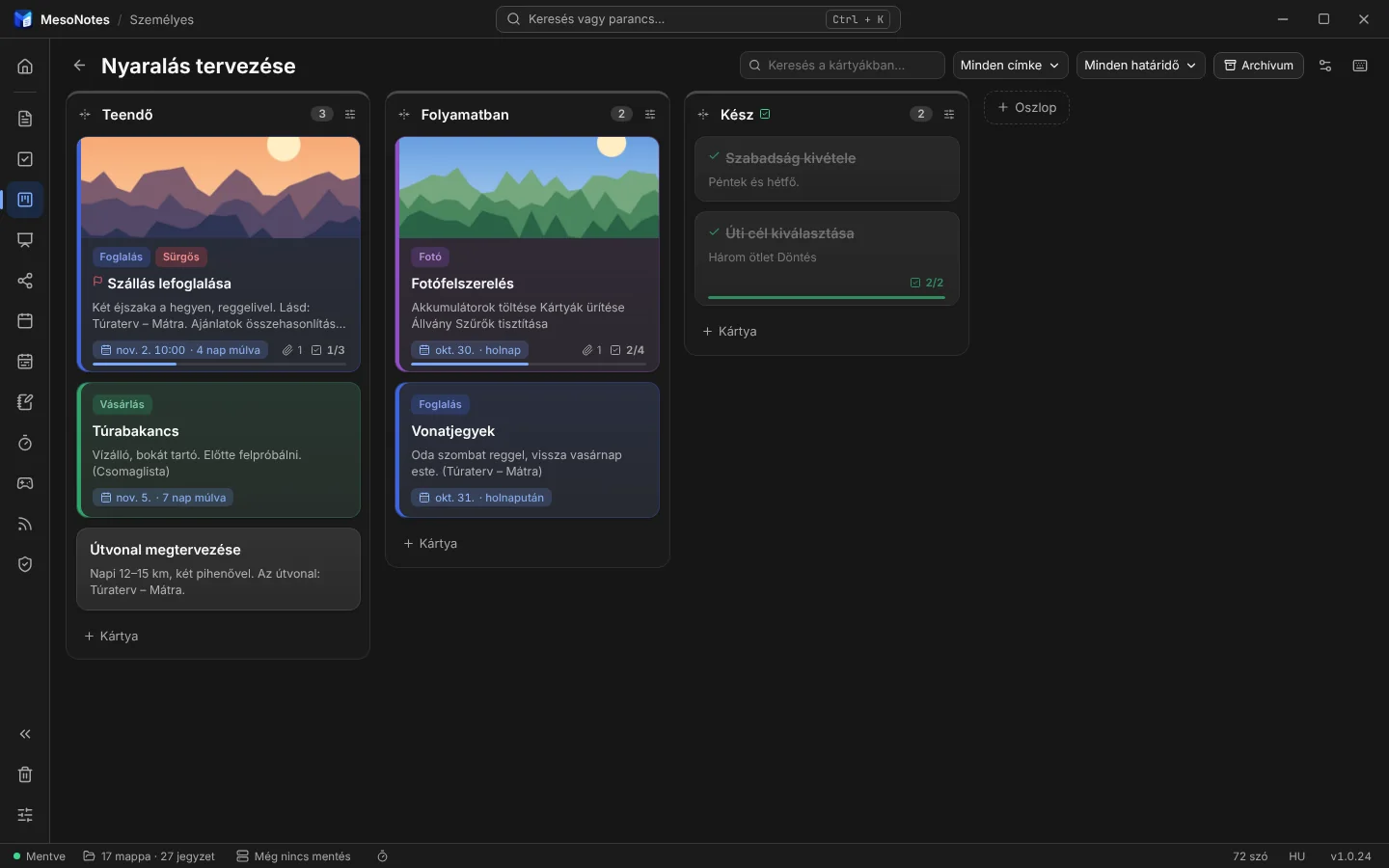
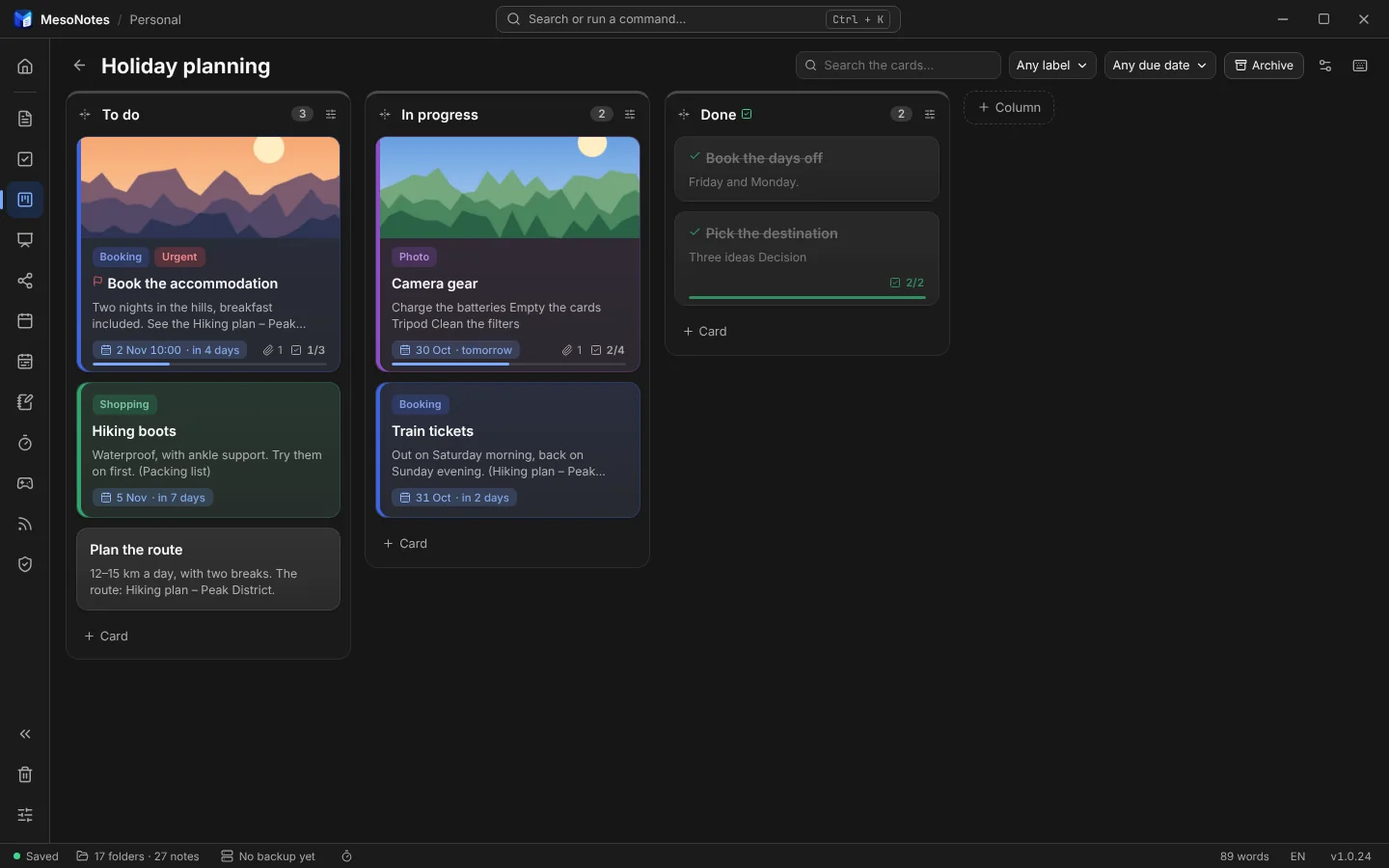
A kártya mögött egy teljes jegyzet áll. Húzd át másik oszlopba, adj neki határidőt és címkét; a belé tett első kép a borítója lesz.Every card is a full note. Drag it to another column, give it a due date and labels; the first picture you put in it becomes its cover.
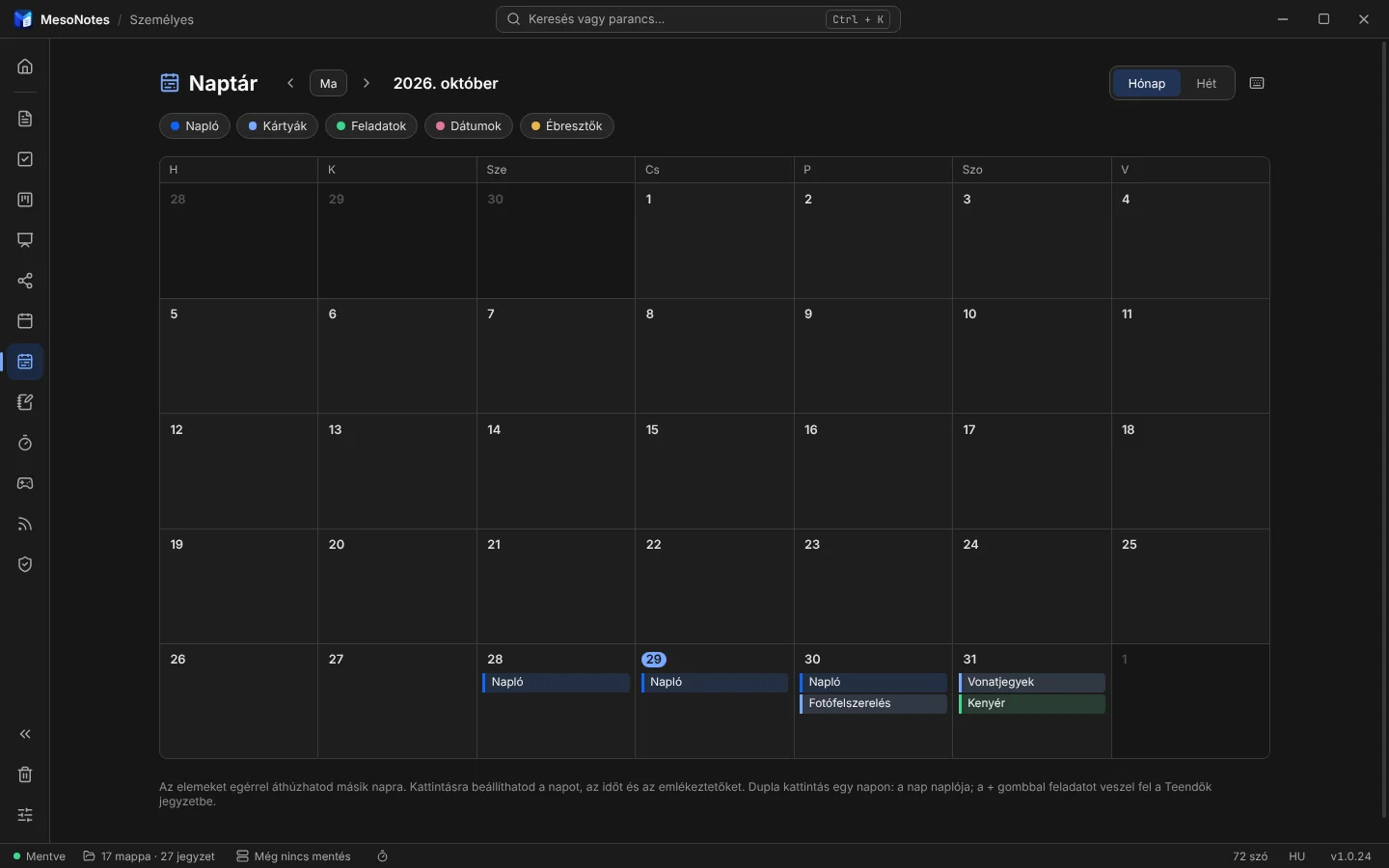
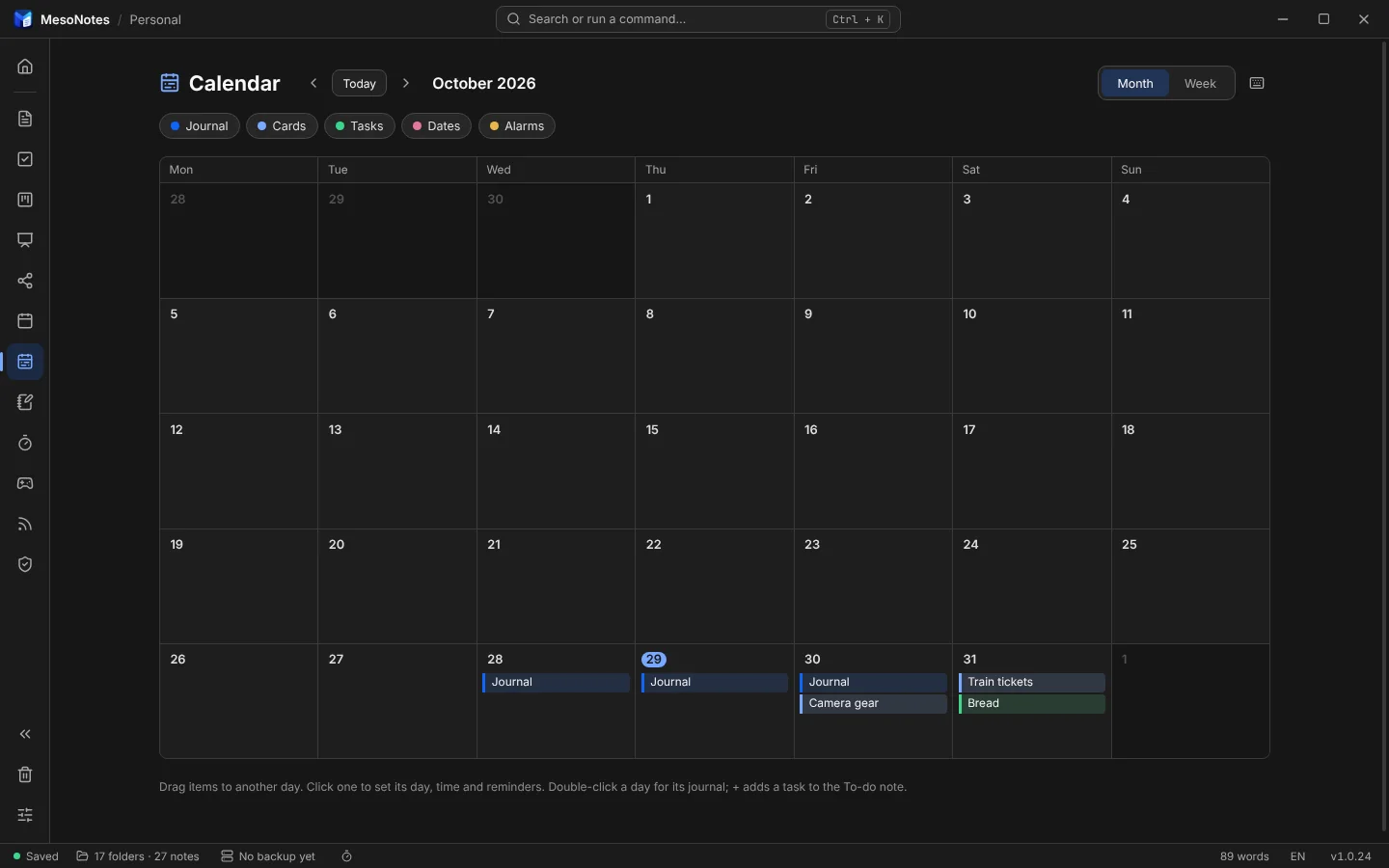
Napló, határidős kártyák, dátumos feladatok és ébresztők egy naptárban. Az elemek áthúzhatók másik napra.Journal, cards with due dates, dated tasks and alarms in one calendar. Drag an item to another day.
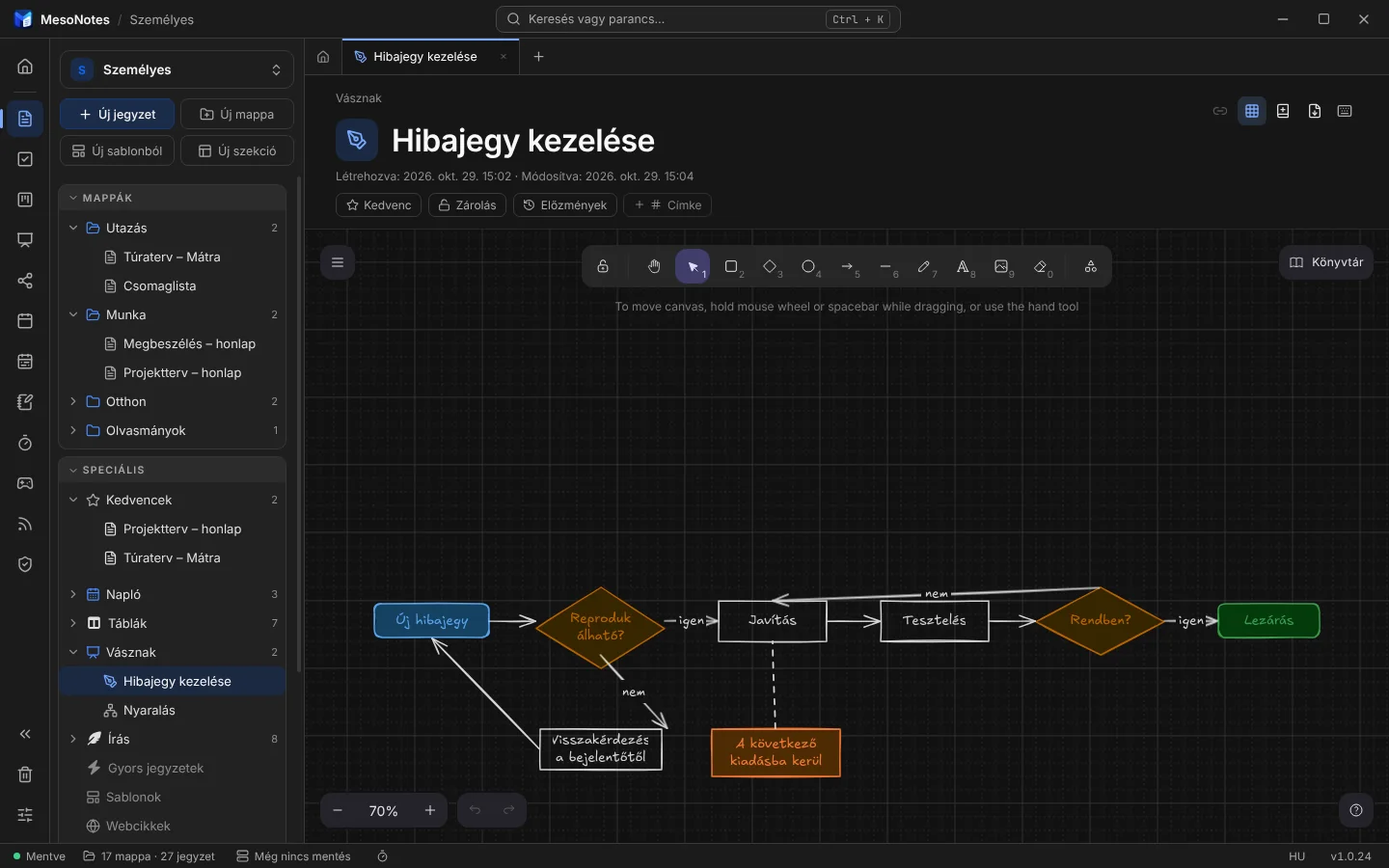
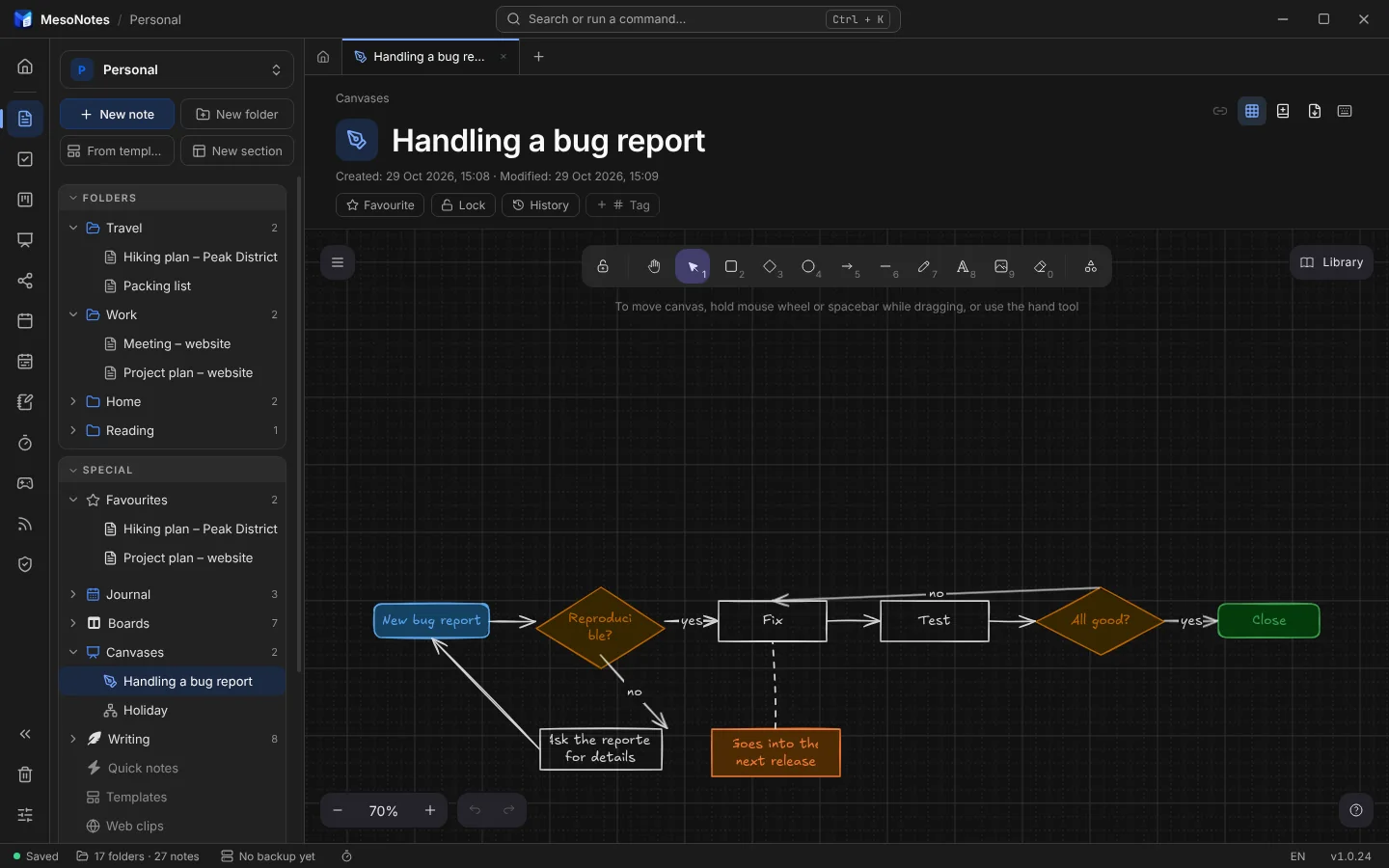
Az Excalidraw a programon belül, internet nélkül: alakzatok, nyilak, szabadkézi rajz, képek, kézzel rajzolt stílusban. Az elemek jegyzethez köthetők; export PDF, PNG és SVG formátumba.Excalidraw inside the program, offline: shapes, arrows, free drawing, pictures, in a hand-drawn style. Elements can link to notes; export to PDF, PNG and SVG.
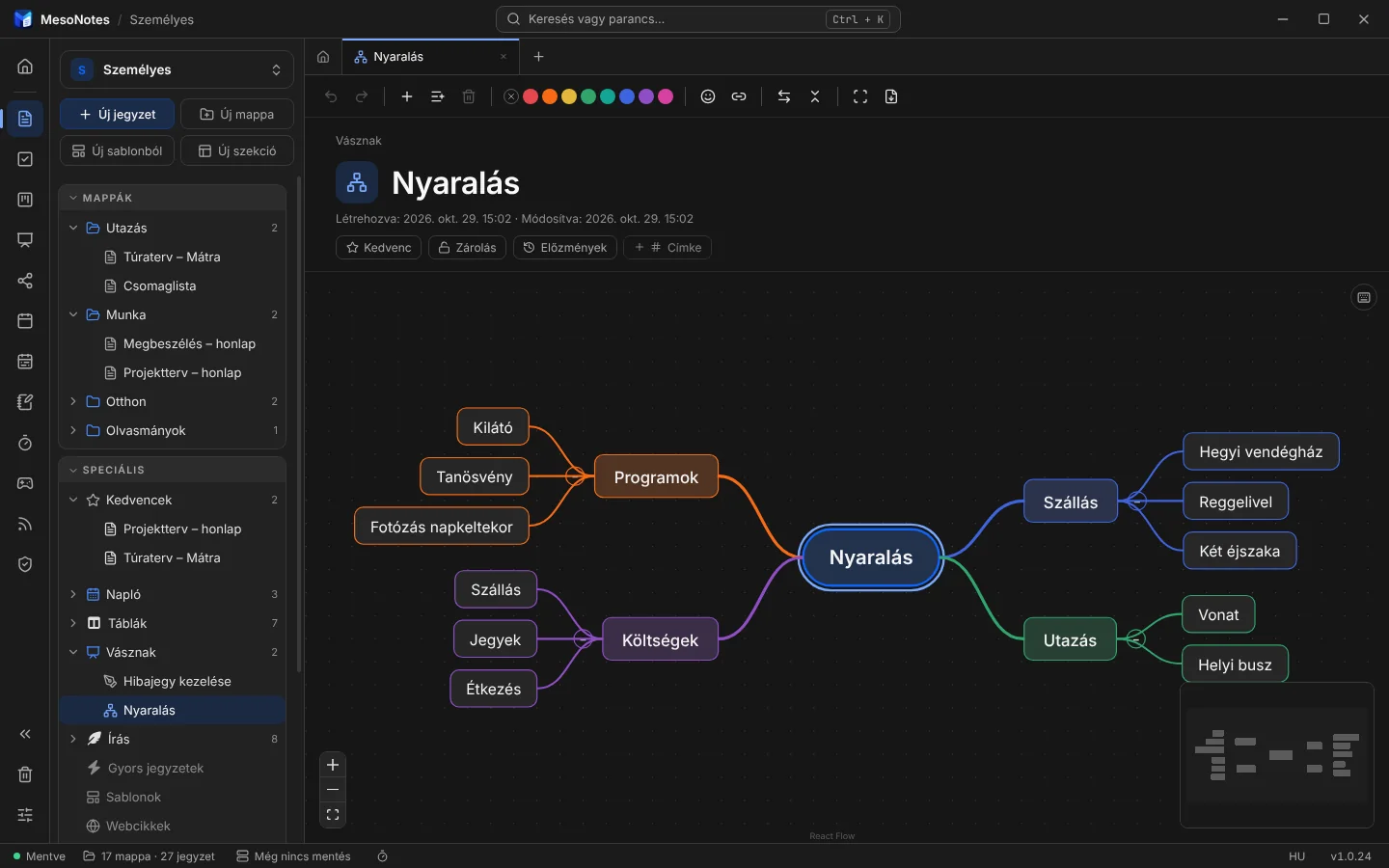
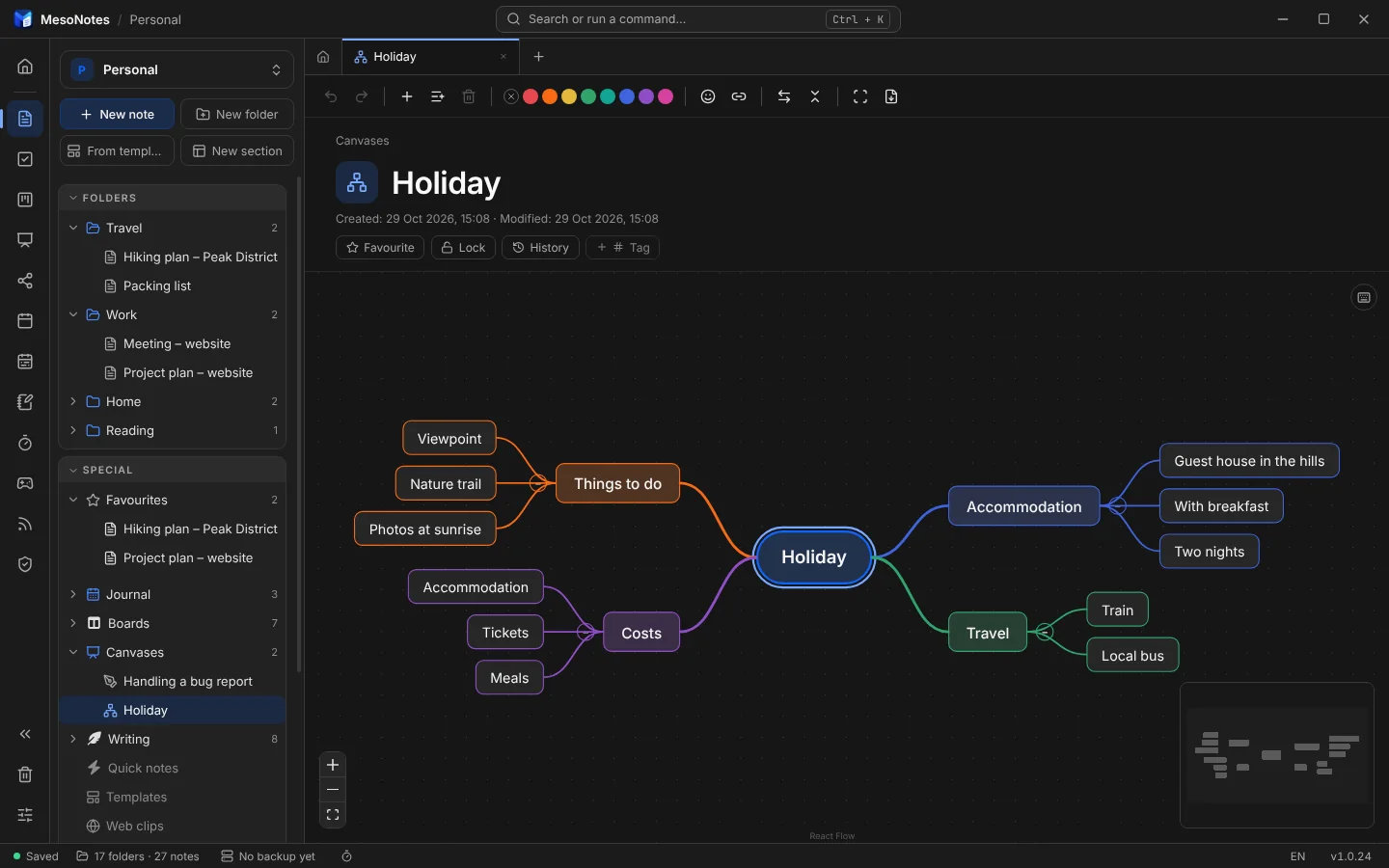
Ágak egy téma körül: Tab új al-ágat, Enter új ágat ad. Az ágak színezhetők, összecsukhatók és jegyzethez köthetők.Branches around a topic: Tab adds a child, Enter a sibling. Colour the branches, fold them, link them to notes.
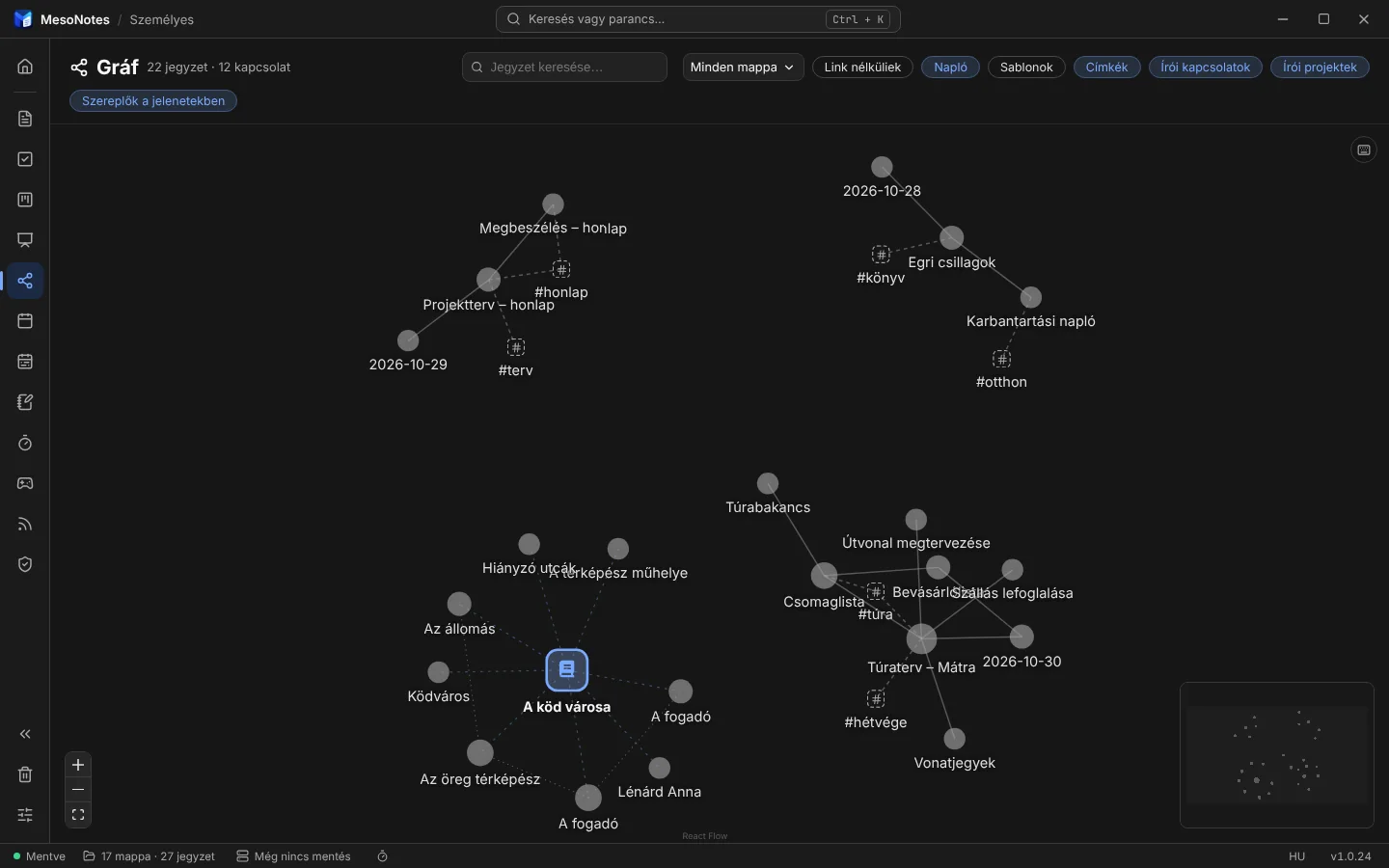
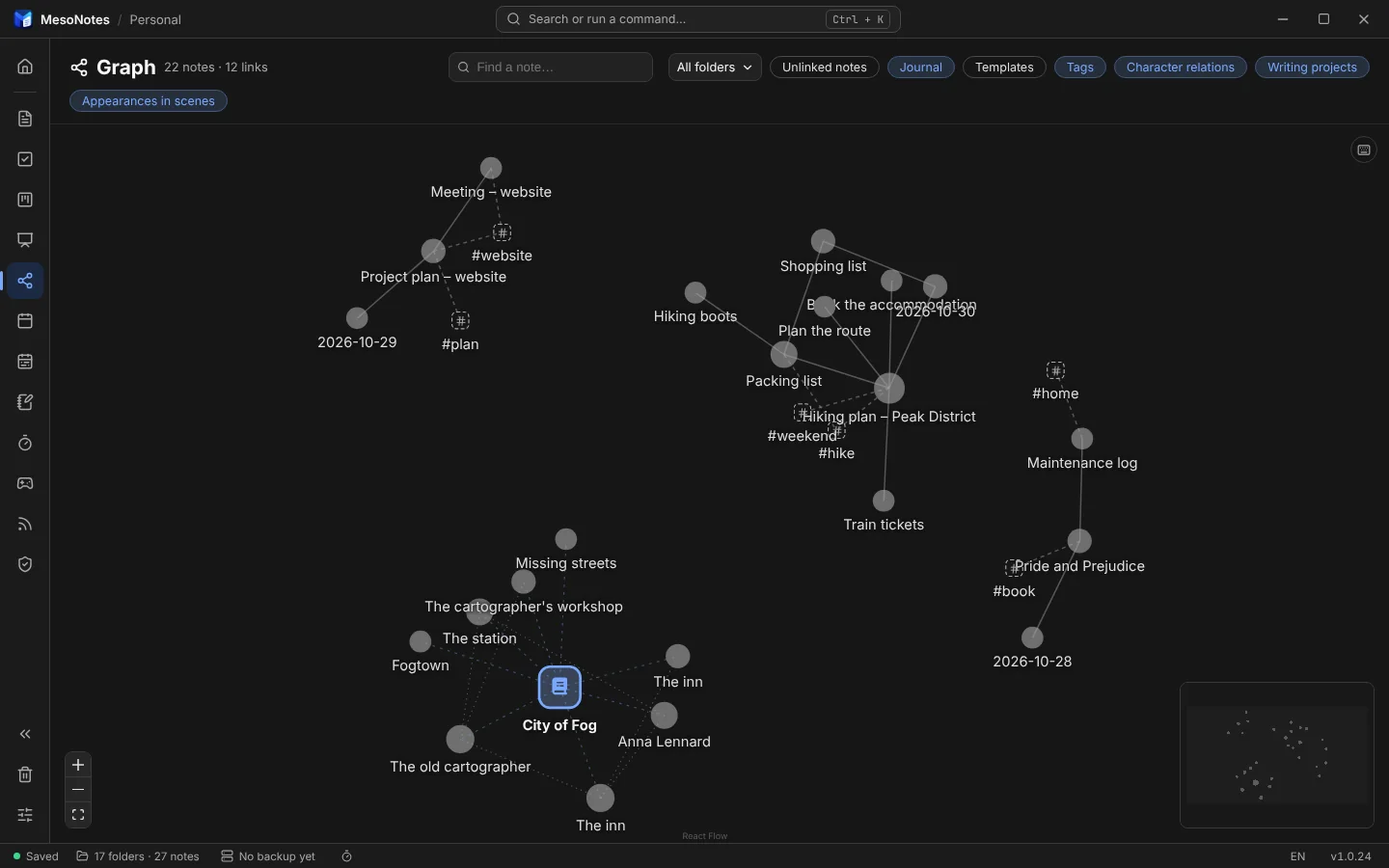
A jegyzetek és a köztük lévő hivatkozások hálóként, címkékkel együtt. Kattintásra megnyílik a jegyzet.Your notes and the links between them as a web, with their tags. Click a dot to open the note.
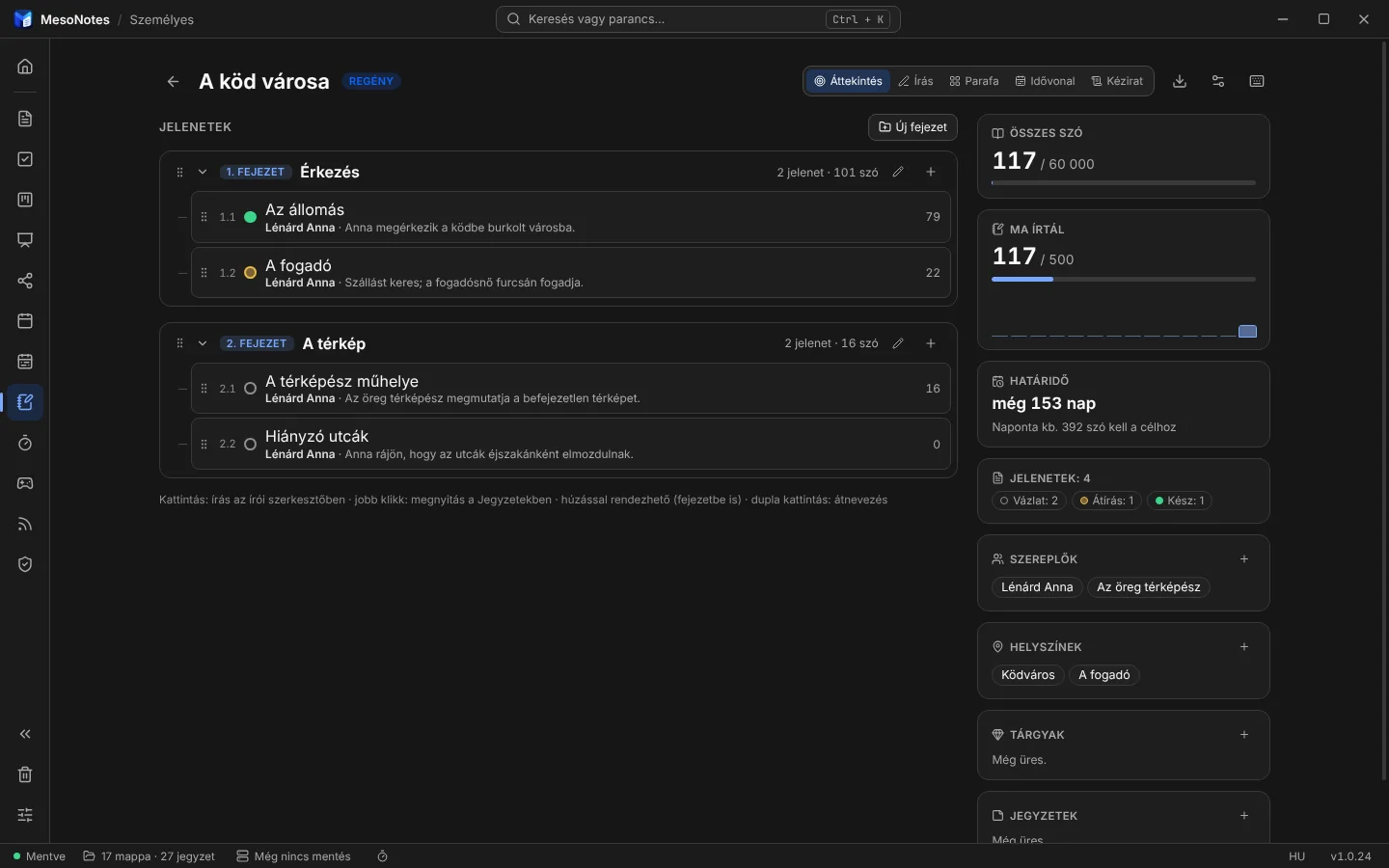
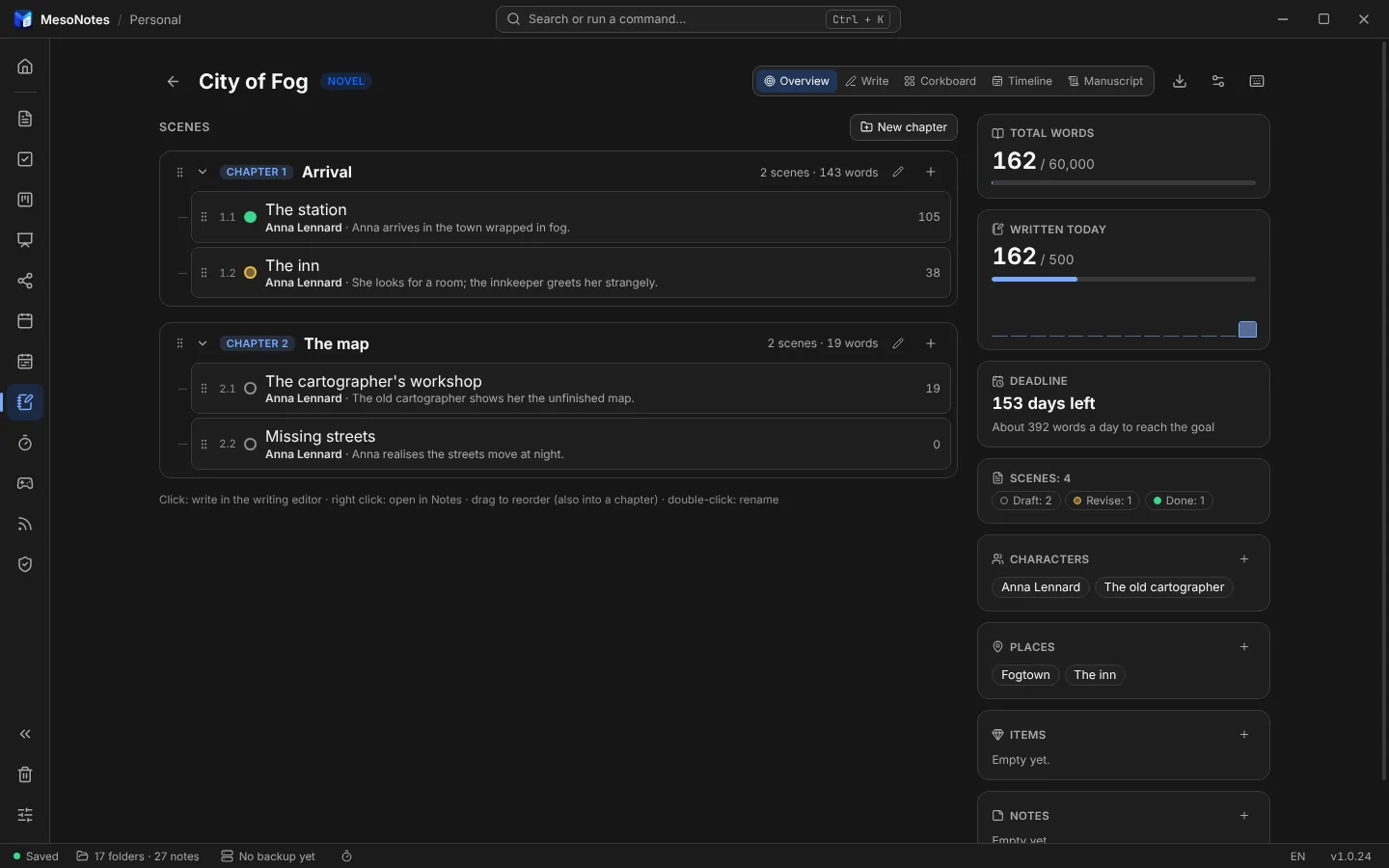
Regényhez, novellához, vershez: fejezetek és jelenetek, szereplők és helyszínek, napi cél, parafatábla és idővonal.For novels, stories and poems: chapters and scenes, characters and places, a daily goal, a corkboard and a timeline.
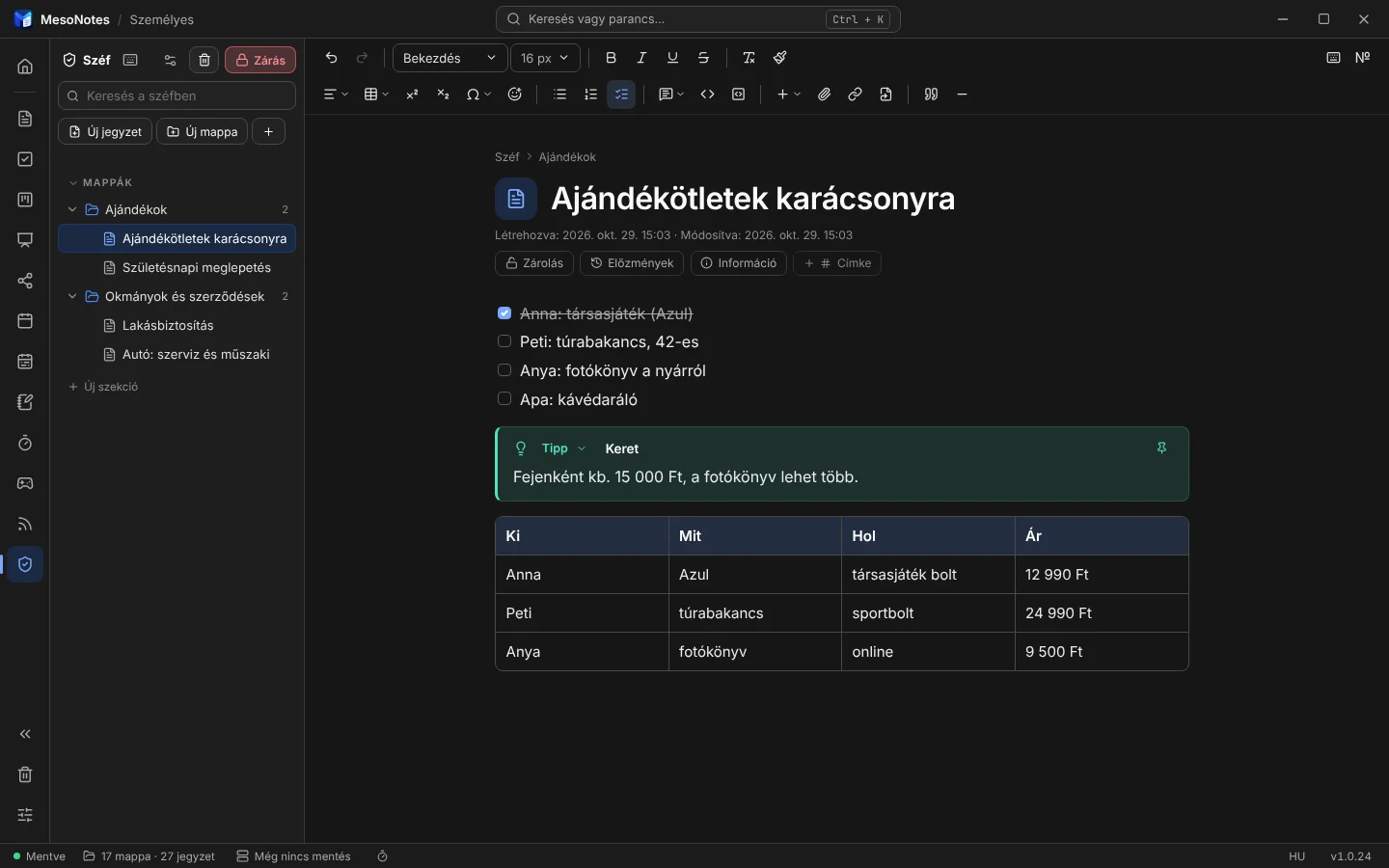
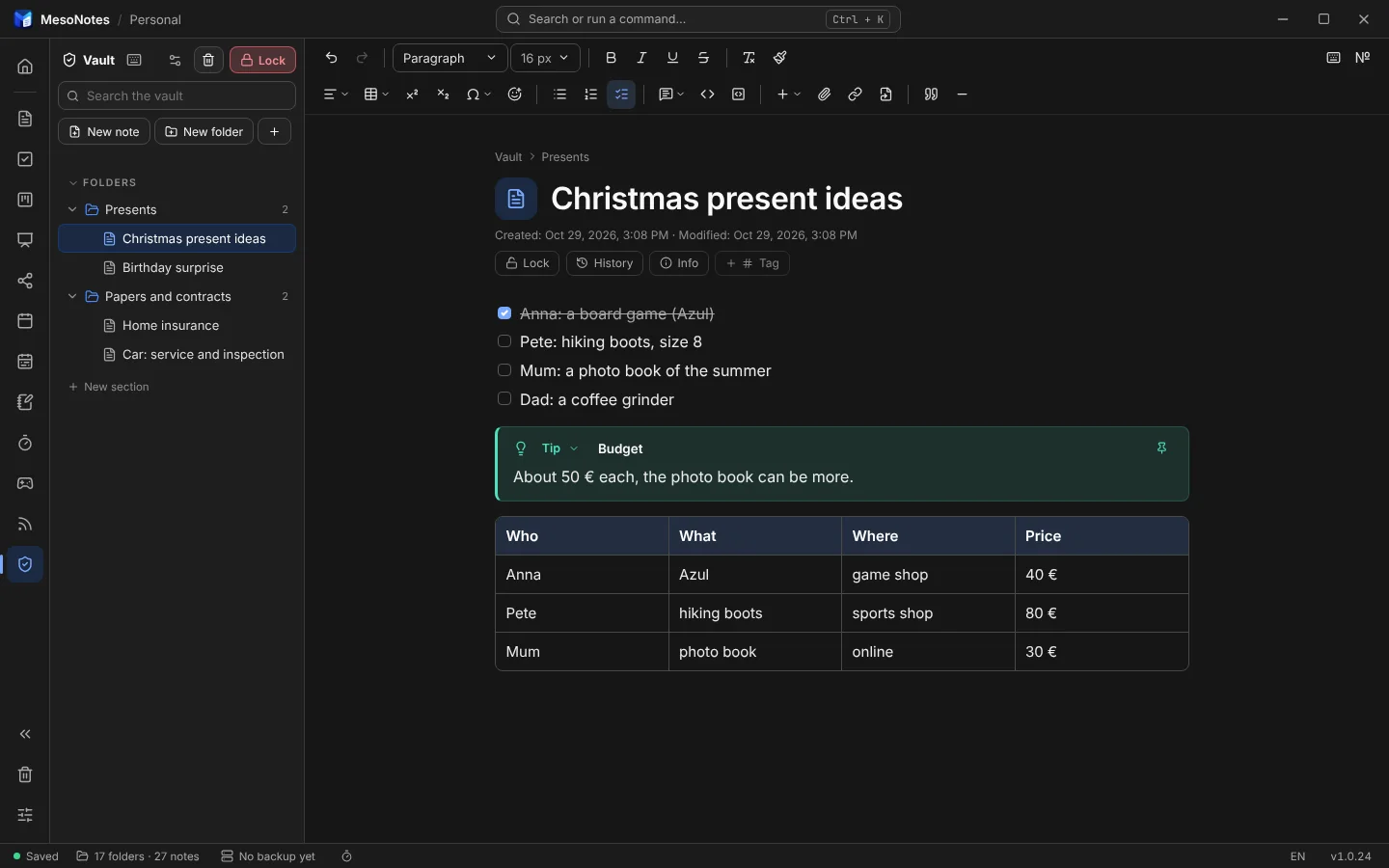
Jelszóval nyíló, titkosított rész a munkaterületen belül, saját jelszavas mappákkal. Magától zár, és csak titkosítva megy a mentésbe és a szinkronba.A password-protected, encrypted part of the workspace, with folders that have their own password. It locks by itself, and goes to backups and sync only encrypted.
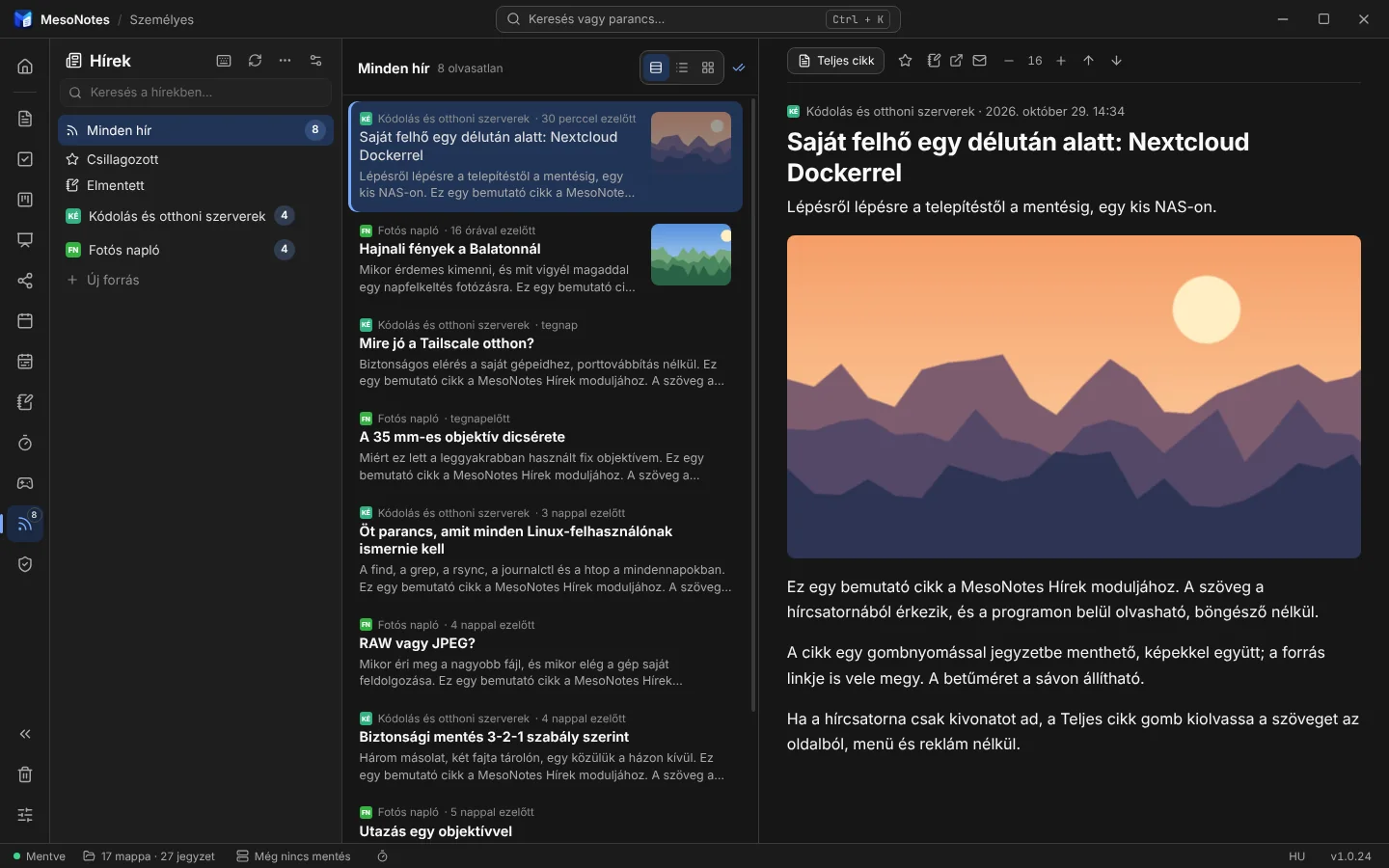
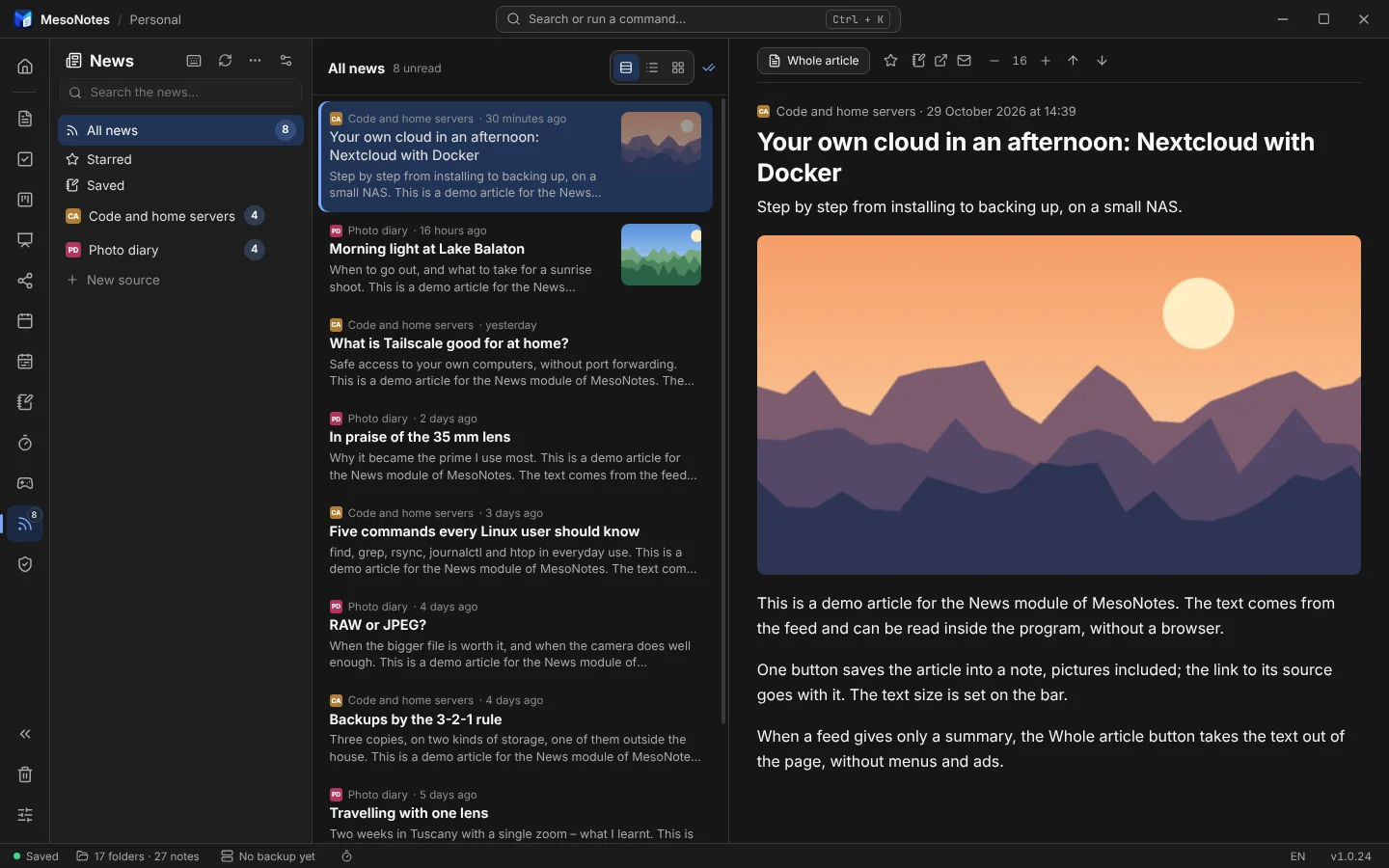
RSS- és Atom-hírforrások kategóriákban; a cikkek a programban olvashatók, és egy kattintással jegyzetbe menthetők.RSS and Atom sources in categories; read the articles inside the program and save them to a note with one click.
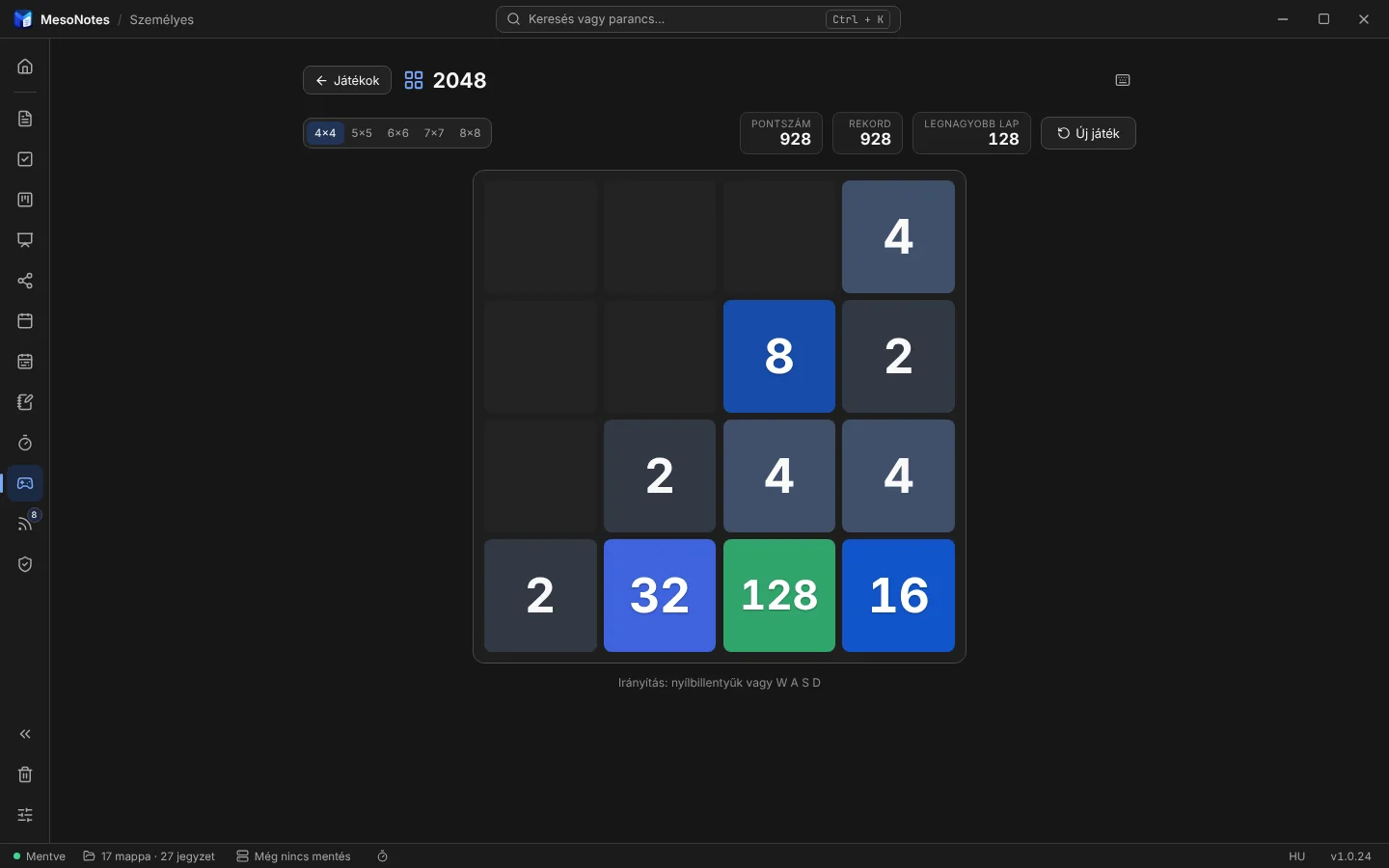
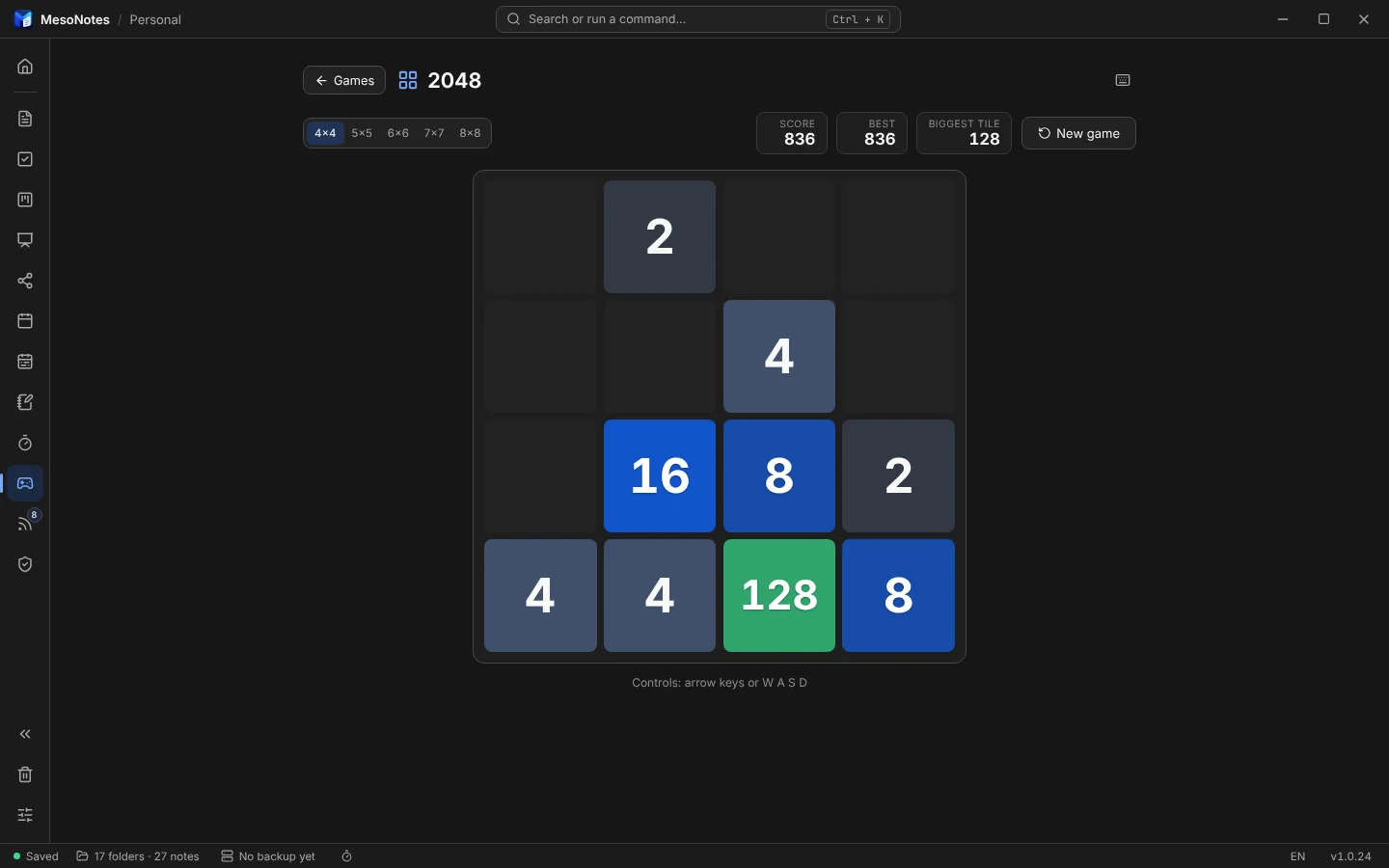
Rövid szünetre: 2048, Numbers merge, Sudoku, Aknakereső, Tetris, Snake, Breakout és Torpedó. A rekordok a munkaterülettel együtt mentődnek.For a short break: 2048, Numbers merge, Sudoku, Minesweeper, Tetris, Snake, Breakout and Battleship. The records are saved with your workspace.
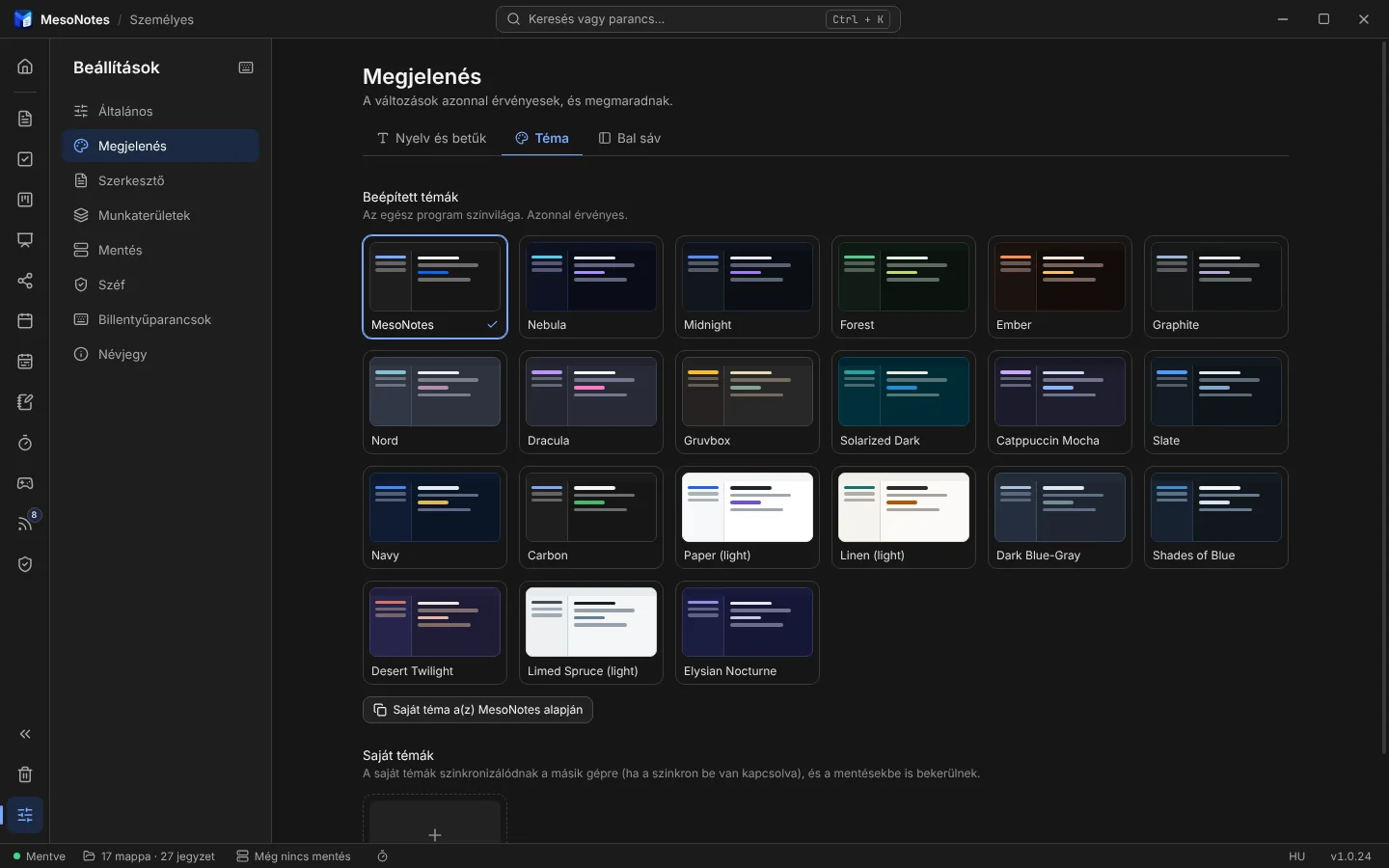
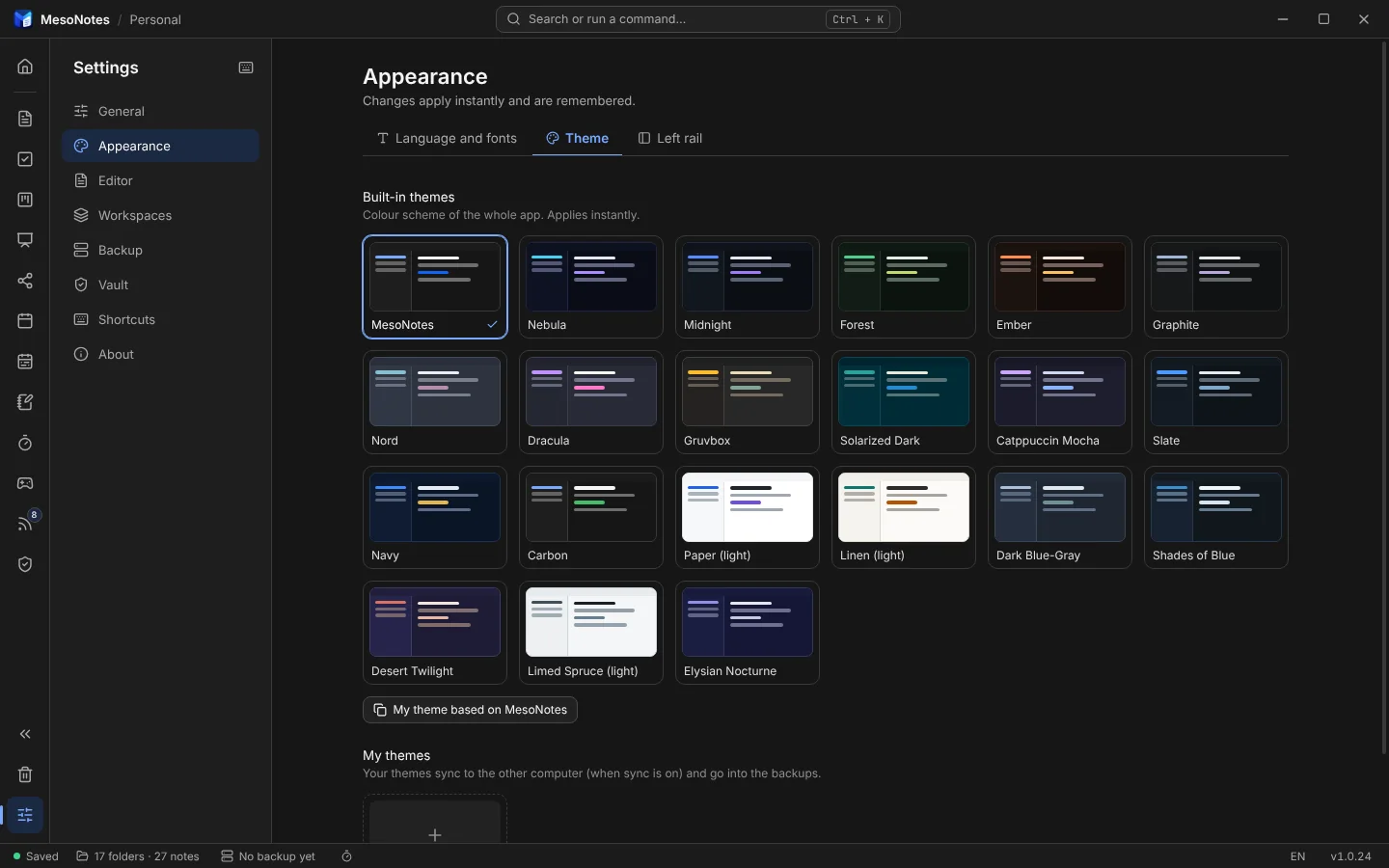
Huszonegy beépített sötét és világos téma, és saját témák bármilyen színnel.Twenty-one built-in dark and light themes, plus your own themes in any colours.
Mit tud?What it does
- Jegyzetszerkesztő
- Note editor
- Mappák saját leírással, szekciók az oldalsávon, címkék, hivatkozás másik jegyzetre, táblázatok, kódblokkok, képek és csatolmányok. A
/menüből bármi beszúrható, és minden jegyzetnek van előzménye. - Folders with a description of their own, sections in the sidebar, tags, links between notes, tables, code blocks, images and attachments. Insert anything from the
/menu; every note keeps its history. - Webcikkek mentése
- Web clipper
- Egy webcímből tiszta jegyzet lesz: csak a cikk szövege és képei, menü, reklám és hozzászólások nélkül, a forrás linkjével. A képek letöltése választható, előre látod a méretüket.
- Turn a web address into a clean note: just the article's text and images, without menus, ads or comments, with a link to the source. Downloading the images is optional, and you see their size first.
- Táblák és feladatok
- Boards and tasks
- Kanban táblák határidővel, címkékkel, borítóképpel és archívummal, táblánként állítható kinézettel és színekkel. A Feladatok nézet összegyűjti a dátumos teendőket minden jegyzetből.
- Kanban boards with due dates, labels, cover images and an archive, each board with its own look and colours. The Tasks view gathers the dated to-dos from all your notes.
- Naptár
- Calendar
- Havi és heti nézet: napló, határidős kártyák, dátumos feladatok és ébresztők egy helyen. Áthúzással másik napra tehetők, ismétlődhetnek, és lehet prioritásuk.
- Month and week view: journal, cards with due dates, dated tasks and alarms in one place. Drag them to another day, let them repeat, give them a priority.
- Google Naptár és iCal
- Google Calendar and iCal
- A MesoNotes dátumai egy saját „MesoNotes” naptárba kerülhetnek a Google-fiókodban, így a telefonod akkor is emlékeztet, ha a gép ki van kapcsolva. A saját naptáraidat iCal-címmel, csak olvashatóan jelenítheted meg a MesoNotes-ban. Mindkettő opcionális.
- MesoNotes's dates can go into a "MesoNotes" calendar of their own in your Google account, so your phone reminds you even when the computer is off. Your own calendars can be shown in MesoNotes by their iCal address, read only. Both are optional.
- Emlékeztetők
- Reminders
- Egy eseményhez legfeljebb három emlékeztető, napokkal, órákkal vagy percekkel előtte, asztali értesítésként vagy e-mailben.
- Up to three reminders per event, days, hours or minutes before, as a desktop notification or an email.
- Vásznak
- Canvases
- Szabadon elrendezhető szövegdobozok, kézrajzos ábrák (Excalidraw) és gondolattérképek. Export PDF, PNG és SVG formátumba.
- Freely placed text boxes, hand-drawn diagrams (Excalidraw) and mind maps. Export to PDF, PNG and SVG.
- Írói modul
- Writing
- Fejezetek, szereplő- és helyszínlapok, idővonal, parafatábla, margójegyzetek és változatok összehasonlítása. Export DOCX, ODT, PDF és EPUB formátumba, képekkel, EPUB-borítóval, a margójegyzetek Word-megjegyzésként.
- Chapters, character and place sheets, a timeline, a corkboard, margin notes and comparing versions. Export to DOCX, ODT, PDF and EPUB, with images, an EPUB cover, and margin notes as Word comments.
- Mentés és szinkron
- Backup and sync
- Automatikus mentés helyi mappába, NAS-ra, S3 tárolóra, a Google Drive-ra vagy rclone-on át más tárhelyre (WebDAV/Nextcloud, SFTP, OneDrive, Dropbox, pCloud…), igény szerint titkosítva. Kétirányú szinkron a gépeid között ugyanezeken a helyeken keresztül.
- Automatic backups to a local folder, a NAS, S3 storage, Google Drive or, through rclone, other storage (WebDAV/Nextcloud, SFTP, OneDrive, Dropbox, pCloud…), encrypted if you like. Two-way sync between your computers through the same places.
- Széf
- Vault
- Jelszóval védett, titkosított rész a munkaterületen belül, saját jelszavas mappákkal, helyreállító kulccsal és jelszógenerátorral. Magától zár (tétlenség, képernyőzár, kilépés), és a tartalma kint sehol nem jelenik meg.
- A password-protected, encrypted part of the workspace, with folders that have their own password, a recovery key and a password generator. It locks by itself (when idle, on screen lock, on exit), and what is in it shows nowhere outside.
- Hírek
- News
- RSS- és Atom-olvasó a programon belül: források kategóriákban, három nézet (magazin, tömör lista, képrács), a teljes cikk egy gombnyomásra, csillagozás, mentés jegyzetbe, OPML import és export. A források és az olvasottság szinkronizál.
- An RSS and Atom reader inside the program: sources in categories, three looks (magazine, compact list, picture grid), the whole article with one button, starring, saving to a note, OPML import and export. The sources and what you read are synced.
- Kezdőlap és gráf
- Start page and graph
- A kezdőlapon időjárás, mai teendők, kedvencek és napló. A gráf hálóként mutatja a jegyzeteket és a köztük lévő hivatkozásokat.
- The start page shows the weather, today's tasks, favourites and the journal. The graph draws your notes and the links between them as a web.
- Játékok
- Games
- Rövid szünetre: 2048, Numbers merge, Sudoku, Aknakereső, Tetris, Snake, Breakout és Torpedó, a program témájában, internet nélkül. A Snake-hez és a Breakouthoz saját pályák is szerkeszthetők.
- For a short break: 2048, Numbers merge, Sudoku, Minesweeper, Tetris, Snake, Breakout and Battleship, in the look of your theme, offline. Snake and Breakout have a level editor for your own levels.
- Témák
- Themes
- Huszonegy beépített sötét és világos téma, és saját témák bármilyen színnel.
- Twenty-one built-in dark and light themes, plus your own themes in any colours.
- Magyarul és angolul
- Hungarian and English
- A felület magyar és angol, és a felhasználók fordításaival további nyelveken is. Linuxon telepítővel, Windowson telepítővel vagy hordozható programként fut.
- The interface is in Hungarian and English, and in more languages translated by its users. Installs on Linux; on Windows an installer or a portable app.
Az adataid nálad maradnakYour data stays with you
A MesoNotes minden jegyzetet a saját gépeden tárol. Nincs MesoNotes-szerver, és a program nem küld rólad semmit a készítőnek.
MesoNotes keeps every note on your own computer. There is no MesoNotes server, and the app sends nothing about you to its developer.
- Nincs fiók, nincs regisztráció.
- Nincs statisztika, hirdetés vagy követés; új verziót csak akkor keres, ha megengeded.
- Mentés és szinkron csak oda, ahová te beállítod, igény szerint titkosítva.
- A jelszavak a rendszer kulcstartójában vannak.
- No account, no sign-up.
- No analytics, ads or tracking; it looks for a new version only if you allow it.
- Backups and sync go only where you set them up, encrypted if you like.
- Passwords are kept in your system keychain.
Közösségi fordításokCommunity translations
A MesoNotes magyarul és angolul érkezik; minden más nyelvet a felhasználók fordítanak. A kész fordítások a programból tölthetők le: Beállítások → Megjelenés → Közösségi nyelvek. Ami egy fordításban még nincs meg, angolul jelenik meg. A program a napi verzióellenőrzéssel (ha engedélyezted) a nyelvlistát is megnézi, és szól, ha a használt nyelvnek újabb változata van.
MesoNotes comes in English and Hungarian; every other language is translated by its users. Finished translations can be downloaded in the app: Settings → Appearance → Community languages. Whatever a translation does not cover yet shows in English. With the daily version check (if you allowed it) the app also looks at the list of languages and tells you when the one you use has a newer version.
Fordítanál?
Would you translate it?
- A programban: Beállítások → Megjelenés → Közösségi nyelvek → Sablon exportálása… — ez egy JSON-fájl az összes angol szöveggel.
- A
_metarészbe írd be a nyelv nevét (name, a nyelv saját nevén, pl.Deutsch), a kódját (code, pl.de,pt-BR), ha szeretnéd, a nevedet (author), és a dátum- és számformátumot (locale, pl.de-DE; ha üres, a kód szerint). - Fordítsd le a szövegeket. A
{{…}}közötti részeket hagyd meg változatlanul, azokat a program tölti ki. Nem kell egyszerre mindent: a lefordítatlan rész angolul marad. - Próbáld ki: Betöltés fájlból… — a program ellenőrzi a fájlt, és megmondja, mi hiányzik vagy mi hibás.
- Ha kész: Fordítás beküldése — megnyit egy új bejelentést a mesonotes-locales GitLab-projektben; csatold hozzá a fájlt. Átnézés után felkerül a listára, és bárki letöltheti.
- In the app: Settings → Appearance → Community languages → Export template… — a JSON file with all the English texts.
- In its
_metapart, fill in the name of the language (name, in the language itself, e.g.Deutsch), its code (code, e.g.de,pt-BR), your name if you like (author), and the date and number format (locale, e.g.de-DE; empty: by the code). - Translate the texts. Keep the parts between
{{…}}as they are; the app fills them in. You do not have to do it all at once: what is not translated stays English. - Try it: Load from file… — the app checks the file and tells you what is missing or wrong.
- When it is ready: Submit a translation — it opens a new issue in the mesonotes-locales project on GitLab; attach the file to it. After a look it goes on the list, and anyone can download it.
LetöltésDownload
Az első nyilvános kiadás hamarosan megjelenik a GitLabon, a forráskóddal együtt: gitlab.com/linuxmind/mesonotes
The first public release is coming soon on GitLab, together with the source code: gitlab.com/linuxmind/mesonotes
Aktuális kiadás:Current release:
Tesztkiadás: előfordulhatnak benne hibák. Kapcsold be a mentést, és ha hibát találsz, jelentsd a programból (Beállítások → Névjegy → Hibajelentés) vagy a Hibajelentés oldalon.Test release: expect some bugs. Turn on backups, and if you find a bug, report it from the app (Settings → About → Report a bug) or on the Report a bug page.
Ellenőrzés letöltés után
Checking the download
Minden fájl mellett ott a SHA-256 ellenőrzőösszege. Letöltés után számold ki a fájlét, és vesd össze az itt láthatóval: ha egyezik, a fájl ép, és az, amit kiadtunk.
Each file has its SHA-256 checksum beside it. After downloading, compute the file's own and compare it with the one shown here: if they match, the file is whole and is the one we released.
Linuxon:On Linux: sha256sum fájlfile · Windowson (PowerShell):On Windows (PowerShell): Get-FileHash fájlfile -Algorithm SHA256
Forráskód és korábbi kiadások
Source code and earlier releases
A MesoNotes szabad szoftver (GPL-3.0-or-later): szabadon használhatod, módosíthatod és továbbadhatod. Forráskód a GitLabon · Minden kiadás
MesoNotes is free software (GPL-3.0-or-later): free to use, change and share. Source code on GitLab · All releases
Linux
Csomag telepítő szkripttel, menübejegyzéssel és tálcaikonnal.
A package with an install script, menu entry and tray icon.
HamarosanComing soonWindows
Telepítő (rendszergazda nélkül), vagy hordozható program, amelynek az adatai a mellette lévő mappában vannak.
An installer (no administrator needed), or a portable app whose data lives in a folder next to it.
HamarosanComing soonForráskód
Source code
GPL-3.0-or-later licenc alatt: szabadon használhatod, módosíthatod és továbbadhatod.
Licensed under GPL-3.0-or-later: free to use, change and share.
HamarosanComing soonSajtó / Media kitPress / Media kit
Írnál a MesoNotes-ról? Itt a logó, a képernyőképek és egy rövid ismertető – szabadon felhasználhatók a program bemutatásához.
Writing about MesoNotes? Here are the logo, the screenshots and a short description – free to use for presenting the program.
Minden egyben (ZIP)Everything in one (ZIP)
RövidenIn one sentence
A MesoNotes ingyenes, nyílt forrású asztali program Linuxra és Windowsra: jegyzetek, feladatok, Kanban táblák, vásznak és hosszabb írások egy helyen, a saját gépeden – fiók és felhő nélkül.
MesoNotes is a free, open-source desktop app for Linux and Windows: notes, tasks, Kanban boards, canvases and longer writing in one place, on your own computer – no account and no cloud.
BővebbenA little longer
A MesoNotes ingyenes, nyílt forrású (GPL-3.0) asztali program Linuxra és Windowsra, amely a jegyzeteket, a feladatokat és a hosszabb írásokat egy helyen tartja – a felhasználó saját gépén. A jegyzetek mappákba és szekciókba rendezhetők, hivatkozhatnak egymásra, és minden változásuk visszakereshető. A program része egy naptár és feladatlista, Kanban táblák, szabad vásznak kézrajzos ábrákkal és gondolattérképekkel, valamint egy írói modul fejezetekkel, szereplőlapokkal és DOCX, ODT, PDF, EPUB exporttal. Van benne hírolvasó, webcikk-mentő és titkosított széf. Fiók nem kell, és nincs benne követés vagy statisztikagyűjtés; a mentés és a gépek közötti szinkron helyi mappába, NAS-ra, S3 tárolóra, a saját Google Drive-ra vagy rclone-on át más tárhelyre mehet, igény szerint titkosítva. A felület magyar és angol, további nyelveken a felhasználók fordításaival. Készítője Mészáros Zoltán.
MesoNotes is a free, open-source (GPL-3.0) desktop app for Linux and Windows that keeps notes, tasks and longer writing in one place – on the user's own computer. Notes are organised in folders and sections, can link to one another, and every change can be looked back on. It also has a calendar and task list, Kanban boards, free canvases with hand-drawn diagrams and mind maps, and a writing module with chapters, character sheets and export to DOCX, ODT, PDF and EPUB. A news reader, a web clipper and an encrypted vault are built in. There is no account, and no tracking or analytics; backups and sync between computers can go to a local folder, a NAS, S3 storage, the user's own Google Drive or, through rclone, other storage, encrypted if wished. The interface is in Hungarian and English, with more languages translated by its users. It is made by Zoltán Mészáros.
- Név
- Name
- MesoNotes
- Készítő
- Made by
- Mészáros ZoltánZoltán Mészáros
- Licenc
- License
- GPL-3.0-or-later
- Platform
- Platforms
- Linux (AppImage, pacman / AUR, deb, rpm), Windows (telepítő, hordozhatóinstaller, portable)
- Aktuális verzió
- Current version
- –
- Nyelv
- Languages
- magyar, angol + közösségi fordításokHungarian, English + community translations
LogóLogo

PNG 512 × 512 · PNG 256 × 256
Átlátszó hátterű; kérjük, ne torzítsd és ne színezd át.Transparent background; please do not stretch or recolour it.
KépernyőképekScreenshots
1440 × 900 képpont, a program magyar felületével; kattintásra teljes méretben. A ZIP-ben PNG-ben is megvannak, magyarul és angolul.
1440 × 900 pixels, with the program's English interface; click for full size. The ZIP has them as PNG too, in English and Hungarian.